
Message Credits & AI Tokens: Tracking and Optimising
What message credits and AI tokens are, what uses them, where Scope Wiser reports both, and the changes that reduce use without reducing results.
What this covers: what uses message credits and AI tokens, where to read the figures, and how to use fewer of each. Both go down on their own as your bots work.
In short: message credits grow with how many people you contact, AI tokens with how much you say to each of them.
What each resource pays for
Message credits
Message credits cover outbound messages on every channel — WhatsApp, Facebook, Instagram and Webchat.
Every outgoing message uses credit: a template, a plain text reply, an image.
A broadcast to five thousand people counts five thousand times.
Incoming messages do not use credits.
Two things surprise people. Automation counts: a sequence that sends four follow-ups to every new subscriber spends four credits per person. And WhatsApp adds Meta's own message charges on top of your Scope Wiser allowance, so a WhatsApp broadcast has a cost in two places.
AI tokens
AI tokens are used every time the AI writes a reply. Longer conversations and longer instructions use more.
Where to read the numbers
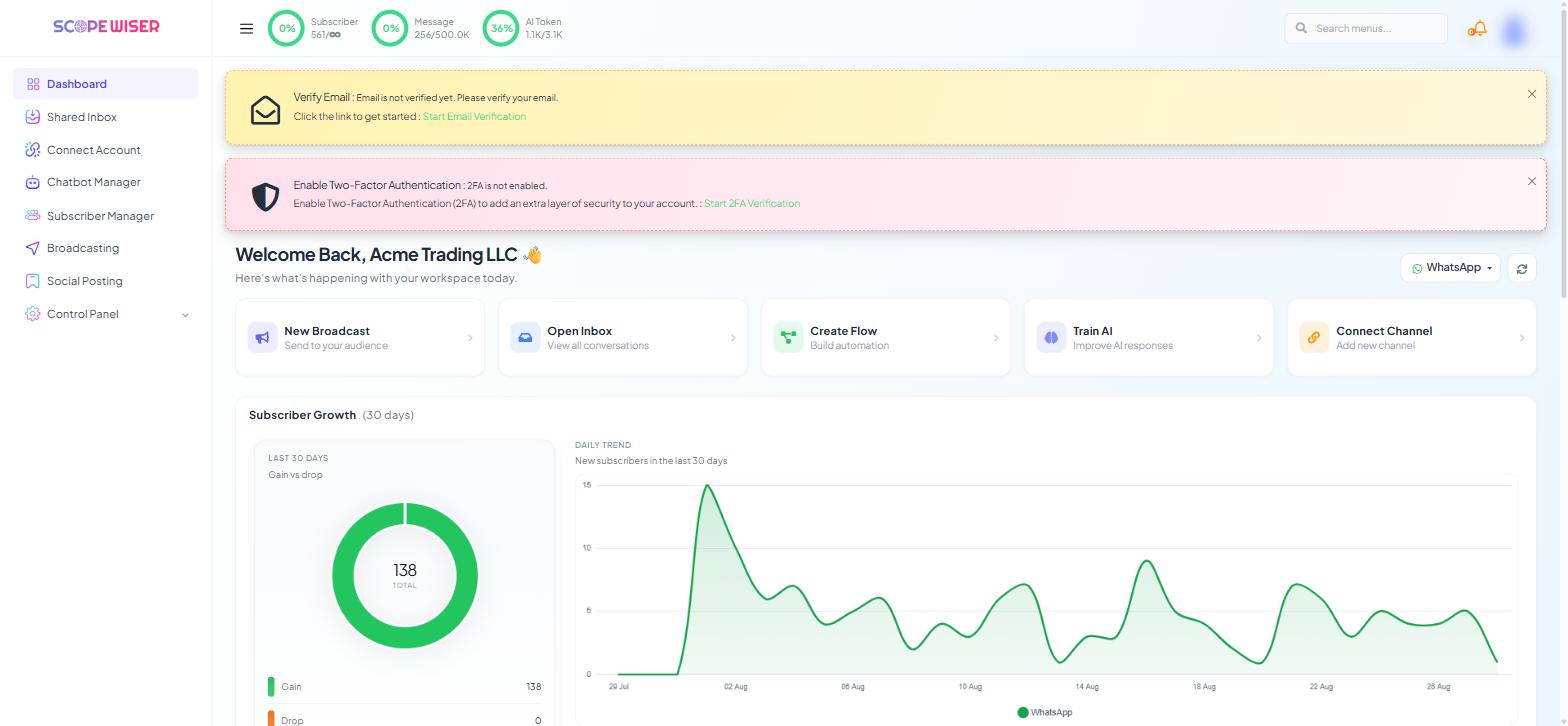
The top bar, on every screen
Three ring meters — Subscriber, Message and AI Token — each show usage against your allowance. Glance at them before you send anything large.
Meter shows | Means |
|---|---|
| 238 messages against a 500,000 ceiling |
| Just over a third used |
| That allowance is uncapped on your plan |
The Account page
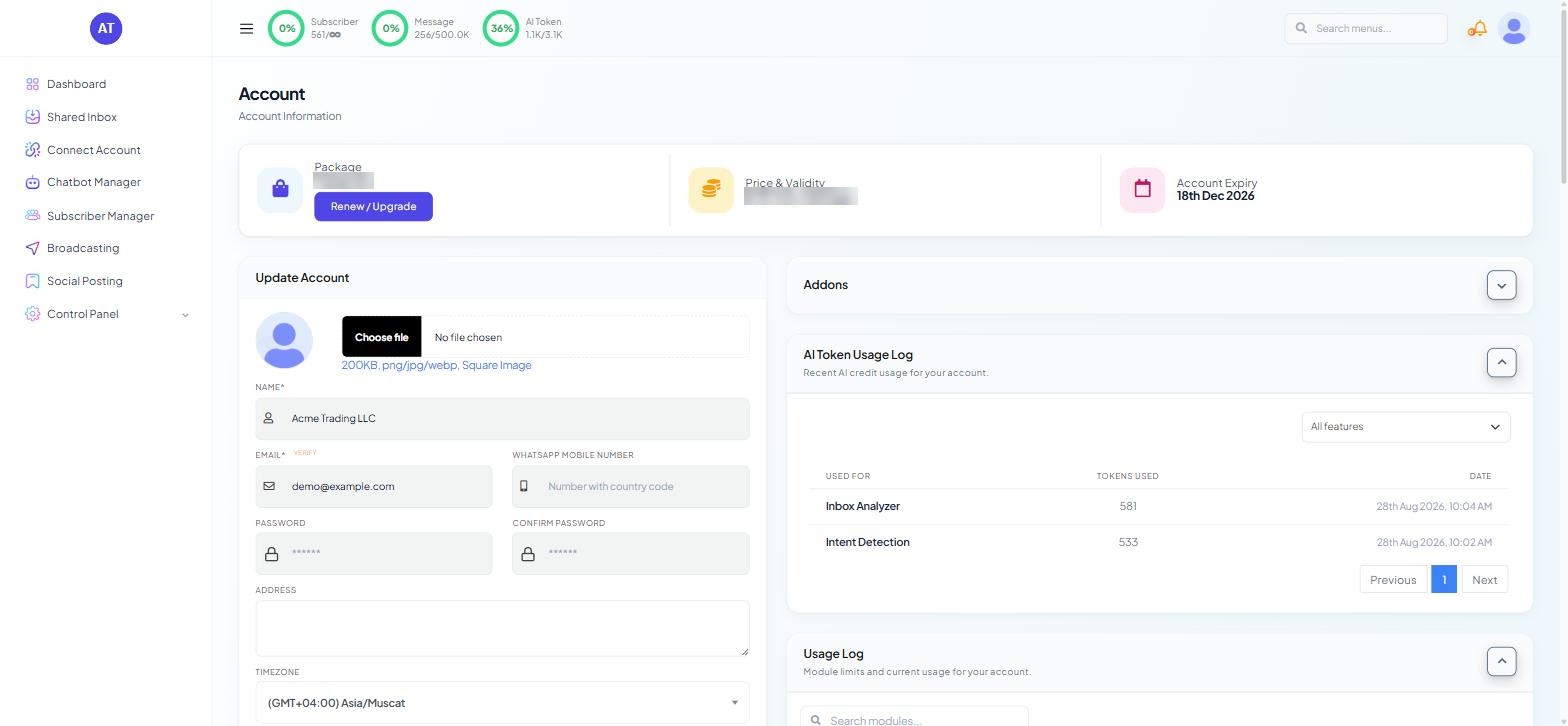
Click your avatar at the top right and choose Account.
In the right-hand column, expand:
AI Token Usage Log — "Recent AI credit usage for your account." Read it when the meter has moved and you do not know why.
Usage Log — "Module limits and current usage for your account." The wider view, covering every module your plan includes.
The third panel, API Usage Log, only matters if a developer has connected other software. Purchased AI token packs are not on the Account page: they are listed in the Addons table on the Billing page (Go to Billing on the Account page).
Note: AI agent replies show in the AI Token Usage Log as AI Agent Planner — about 4,000 tokens each in our tests. The top-bar meter can lag behind the log.
Tip: note the figures at the start of each month, so a sudden jump stands out.
How to use fewer message credits
Segment before you send. This is the single largest saving. A broadcast to your whole list when a label would have reached the relevant quarter costs four times as much and performs worse. Labels, Lists & Segments: How Scope Wiser Groups Subscribers covers building those groups.
Prune sequences. Every step of a follow-up sequence sends to everyone enrolled. Read your longest sequence end to end and remove steps that do not earn their place.
Watch for loops. A flow that can re-trigger itself, or two automations that answer each other, spends credits faster than any campaign.
Clean the list. Contacts that never respond still cost the same to message. Removing or excluding an unengaged segment cuts spend and lifts your delivery quality with Meta.
How to use fewer AI tokens
Keep the instructions short. Keep the AI agent's instructions (AI → Agents) short. They are sent with every reply.
Ask for shorter answers. Tell the AI agent to reply briefly. Long answers use more tokens.
Don't use AI where a fixed reply works. Opening hours, delivery times and returns policies do not need generating. A Keyword Reply answers them instantly and for no tokens.
Keep knowledge sets tight. A knowledge set stuffed with everything gives the agent more to read per question. Relevant content produces better answers and cheaper ones.
If something doesn't work
Credit use rises with no campaign to explain it. Look for loops first: a flow that can re-trigger itself, or two automations that answer each other.
The Message meter is nearly full and a campaign is due. Narrow the audience, postpone the non-urgent part, or top up — in that order.
AI tokens are nearly gone. Turn the AI Agent off on lower-value bots, so it doesn't fail mid-conversation. Let Keyword Replies carry the load until the allowance resets or you buy more. A bot that sends a fixed reply looks fine to a customer; a bot that stops answering does not.
You need more allowance. Check Renew / Upgrade in the profile menu or on the Billing page. Read the Usage Log first, so you buy the one you are actually short of.
What to do next
Billing, Plan Limits & the Usage Log puts these two allowances in the context of the rest of your plan, including addons and expiry dates. If subscriber counts, not messages, are the constraint, Subscriber Metrics & Recounts explains which figure to trust.
Next: Billing, Plan Limits & the Usage Log