
Validation Rules for Input Fields
Reply types keep bad answers out of your database. Which reply type to choose for each question in a User Input Flow, what validation does not check, and how to test it.
If you accept any text as an answer you get "tomorrow" in a date field and unusable emails. Reply types stop that. Each question in a User Input Flow has a reply type, and the reply type decides what the bot accepts. This guide shows how to choose it.
Where the setting lives
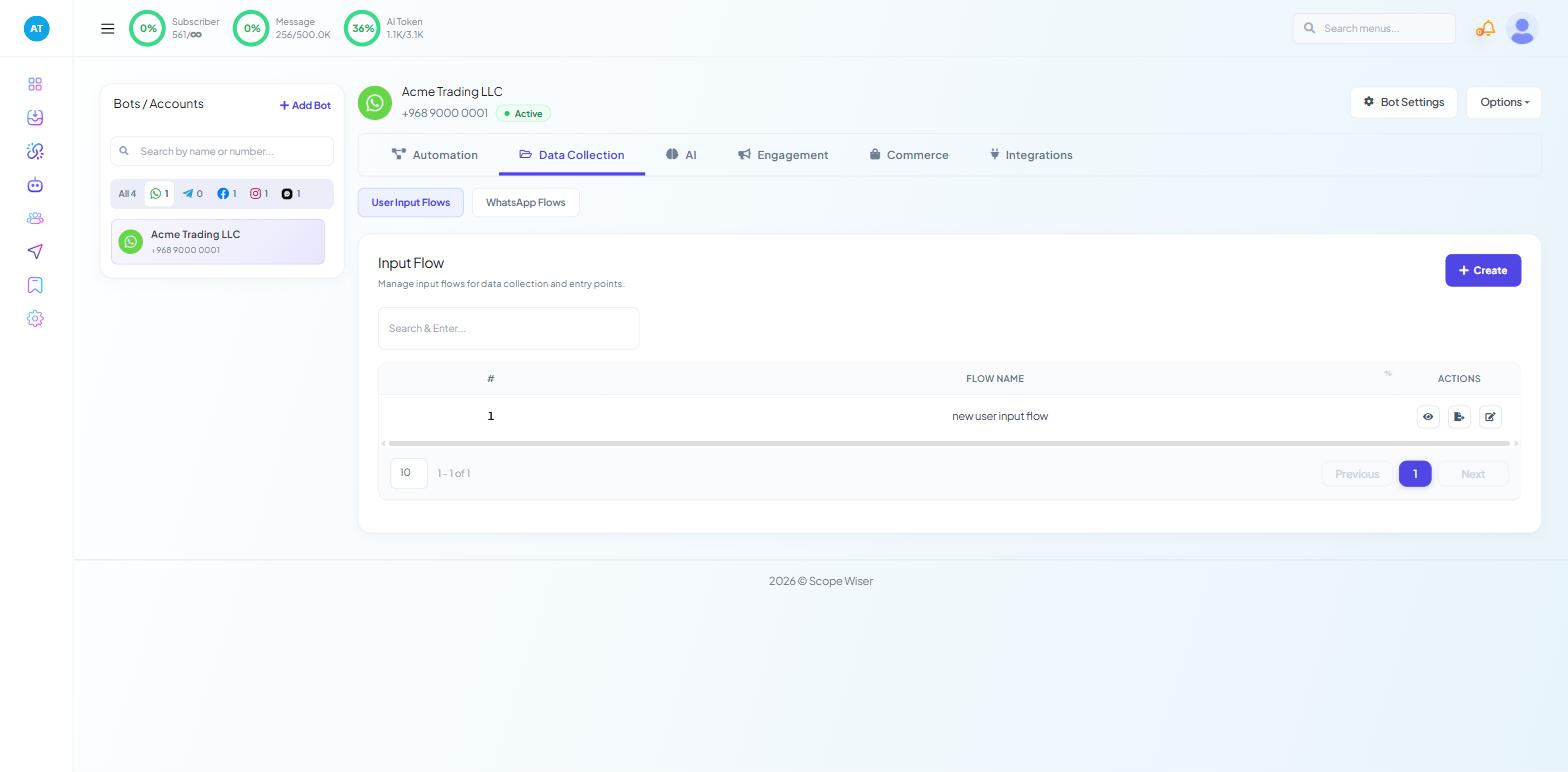
Open Chatbot Manager, select your bot, then Data Collection → User Input Flows.
Click + Create for a new campaign, or the edit (pencil) icon on an existing row. The Configure User-Input-Flow drawer opens.
Name the campaign for what it does (Wholesale enquiry, Service booking).
Build the questions from the User Input Flow node's First Question port. For each question, click the question block, choose the reply type (Text, Email, Phone …) and choose the custom field the answer is stored in.
Save from the top right of the Flow Builder.
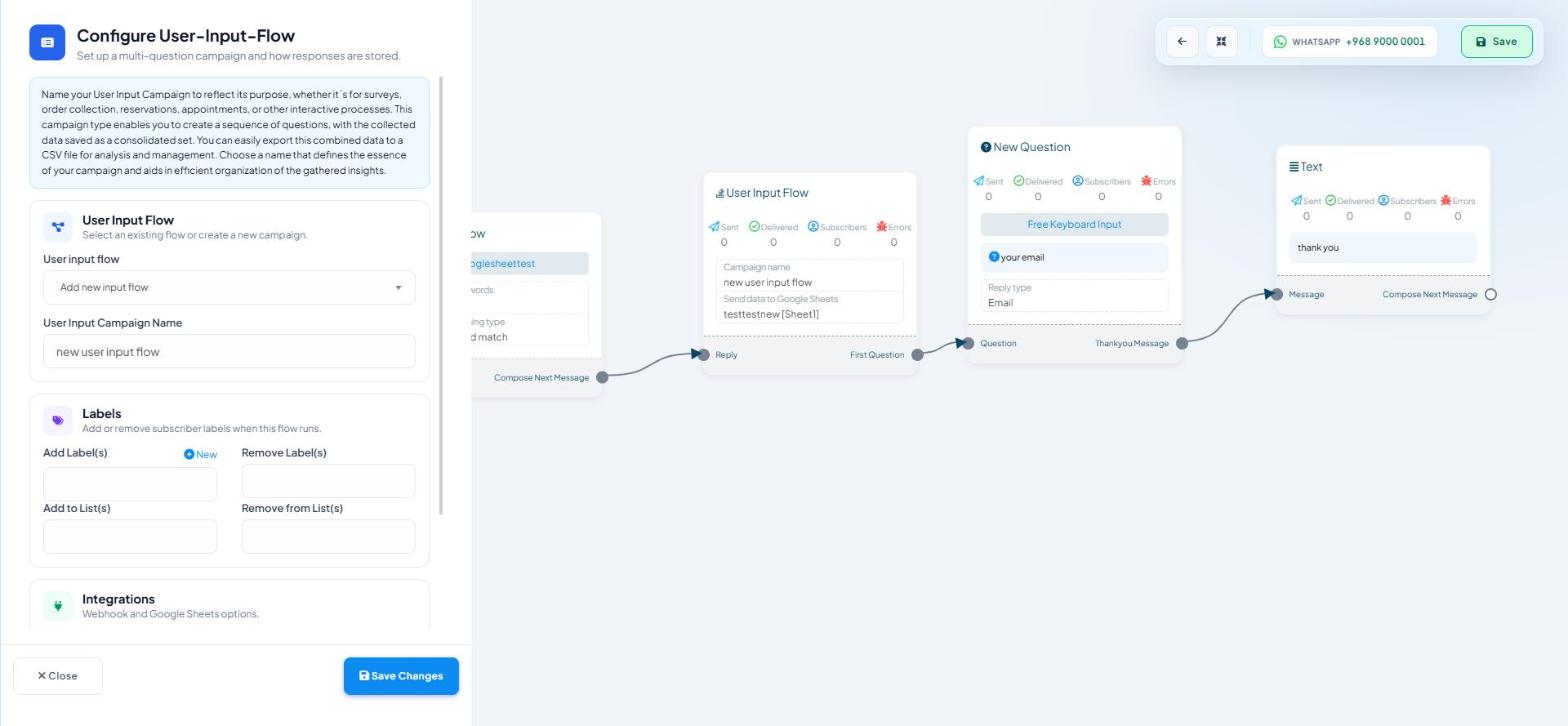
Choosing a reply type
Choose by what happens to the answer afterwards:
Text — names and free comments you will read rather than process. Do not default to it.
Email — anything going to an autoresponder, a CRM or an email follow-up.
Phone — any number you will message or call. Ask for the country code in the question.
Number — quantities, budgets, ages. A Condition block can test "budget over 5,000" only if the budget was collected as a number.
URL — a website, a social profile, a tracking link.
Date, Time, Datetime — bookings and appointments. Date for a delivery day, Datetime for a slot.
File, Image, Video — a document or photo instead of typed text.
The question wording is part of the validation. "Please send your mobile number including the country code, for example +968 9000 0001" gets the right format far more often than "What's your number?".
What validation does not do
Validation checks the format, not whether the address is real.
nobody@example.compasses.There is no custom pattern. An order reference in your own format cannot be enforced at the question; collect it as Text and check it later.
For a fixed set of answers, use an Interactive block with buttons instead of an open question.
Designing a flow people finish
Put the easy questions first: name before budget.
Give one example of the format in the question.
Only validate what you need now. Collect the postcode when it becomes relevant.
Put a Condition block ahead of a question to skip it when the field already has a value.
End with a message confirming what you received.
Test before you rely on it
Save the flow and trigger it from a real conversation on the channel it will run on.
Answer badly on purpose: a phone number with no country code, an email with a typo, "next Tuesday" as a date.
Check that invalid answers are refused, that a valid answer is accepted first time, and that the bot's retry message makes sense to the customer.
Open the contact in Subscriber Manager and read the Input Flows and Custom Fields tabs. If a value landed in the wrong field, fix the mapping now.
What to do next
Building Multi-Step Forms — stringing validated questions into a branching sequence. Using Collected Data in Follow-Up Messages — putting the data back into your messages.