
Facebook Engagement Widget
Put a Messenger button on your website with the Facebook Engagement Widget: where it lives in Chatbot Manager, how it connects to a bot flow, and why the domain has to be whitelisted.
The Engagement Widget puts a Messenger button on your website. A visitor clicks it, Messenger opens, and the conversation runs on your Facebook Page — so it carries on after they close the tab, on whichever device they next pick Messenger up on.
Where it lives
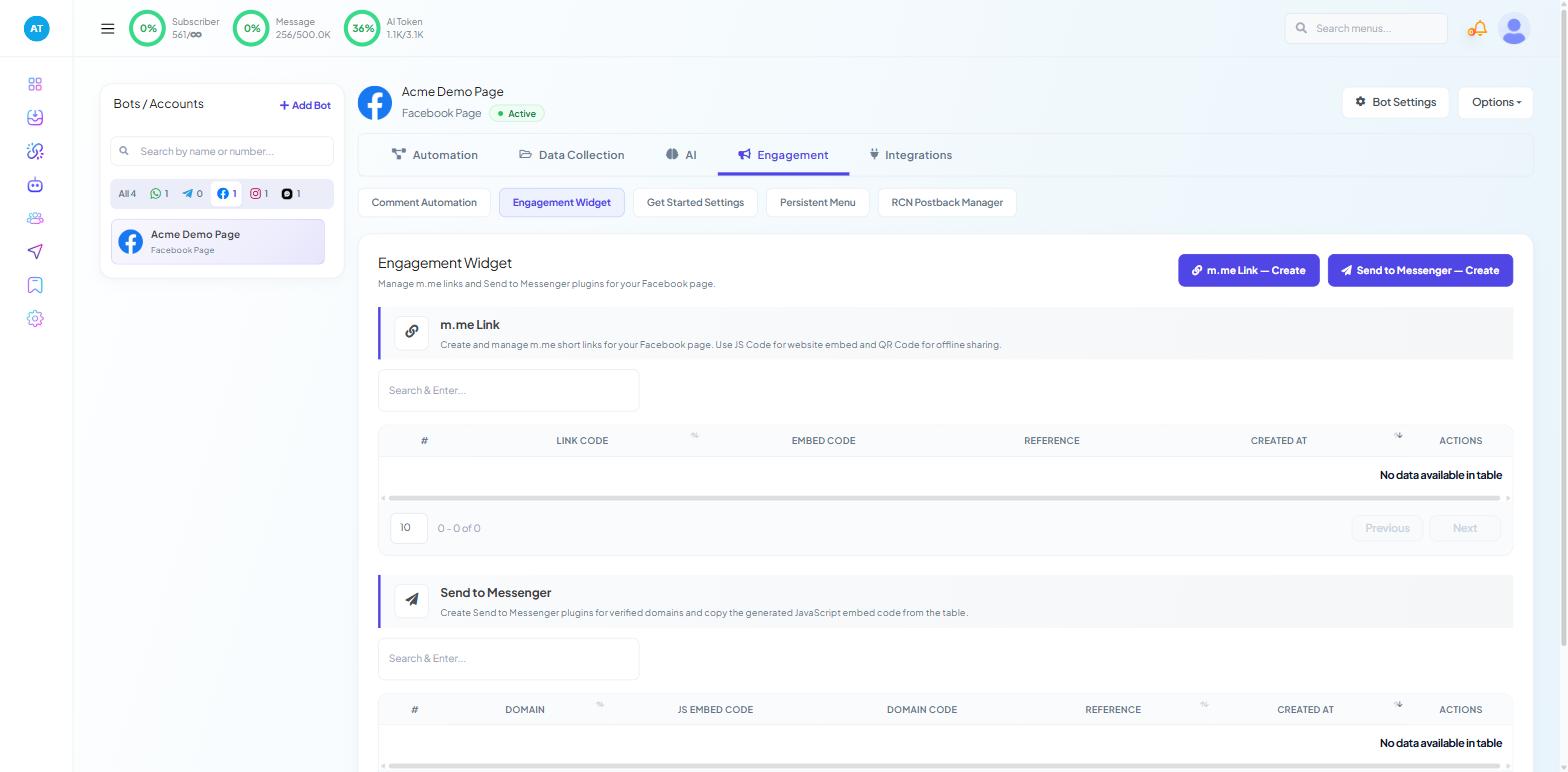
The Engagement Widget is a Facebook-only feature. Open Chatbot Manager, select your Facebook Page in the left-hand Bots / Accounts panel, then go to the Engagement tab. Its sub-tabs are Comment Automation, Engagement Widget, Get Started Settings, Persistent Menu and RCN Postback Manager.
If you cannot see Engagement Widget, check which bot is selected. A WhatsApp bot's Engagement tab offers only Chat Entry; Instagram and Webchat bots offer neither. Selecting the Page is the step people skip.
Build the widget
On the Engagement Widget sub-tab, create a new widget. The Flow Builder opens with a configuration drawer titled Configure Action Button.
On the Action Type card, set Actions to the Messenger engagement plugin option. The Messenger Engagement Plugin card below it then holds the widget's own settings.
Enter the domain of your live site — not a staging URL. It must match exactly what visitors see in the address bar: a widget configured for
example.comand pasted intowww.example.comwill not load.Set Reference, your internal label for the widget. It is how you tell a homepage button from a pricing-page button later, and how you attribute conversations back to a placement.
Click Save at the top right of the canvas.
Connect it to a flow
The flow connected to Start Bot Flow is what the visitor reads in Messenger — add a greeting before saving. A widget with nothing attached delivers a silent thread, which is worse than no button at all.
Build a short welcome flow: a greeting, one useful question, and a route to a human. Introduction to Flow Builder: How Scope Wiser Flows Are Built covers the mechanics.
Whitelist the domain
This is the step that quietly breaks otherwise correct setups. Meta will not let a Messenger plugin run on a page it does not recognise.
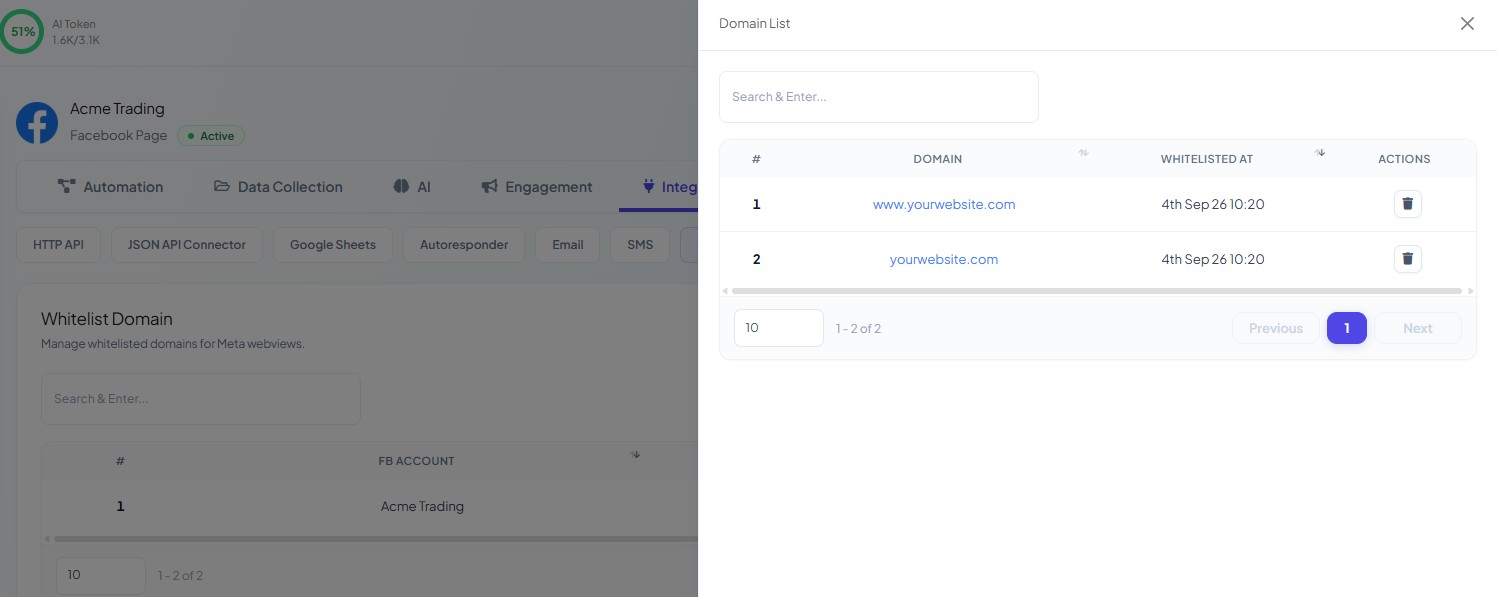
On the Facebook bot, go to Chatbot Manager → Integrations → Whitelist Domain and add the exact hostname your visitors see. If your site serves both the bare domain and the www. variant, add the one that actually loads in the browser address bar.
Embed it on your site
Once the widget is saved, return to the Engagement Widget listing and take the embed code from the widget's row. Paste it into your site's custom-code or footer setting so it loads on every page you want the button on.
Page builders that accept an HTML or shortcode block work the same way: drop the block where you want the button, paste the code, publish.
For developers
The snippet is JavaScript. Place it in the <head> or immediately before the closing </body> tag of a template that renders on every page.
Test before you announce it
Testing on your own machine is not enough, because you are already logged into Facebook and already subscribed to your own Page. Check three things:
The button renders on the live domain, not just in your editor preview.
It opens Messenger rather than a broken window — the usual failure here is the domain.
A first-time visitor gets your flow. Use a second browser profile, or a colleague who has never messaged the Page, and confirm the greeting arrives.
If the button appears but clicking it does nothing, the domain is wrong or unwhitelisted. If it opens Messenger but the thread stays empty, the flow is not connected or not published.
What to do next
If your site also serves people who do not use Messenger, read Website Chat Widget: Create, Embed & Manage — a webchat widget and a Messenger button coexist happily and catch different visitors. To reach people before they reach your site, Click-to-WhatsApp Ads covers the paid equivalent of the same idea.