
Facebook Account, Page and Meta Business Account: Why You Need Them
A picture guide to the Meta accounts behind WhatsApp, Messenger and Instagram automation: what each one is for, which you need, and the mistakes to avoid.
What you'll learn: why Meta asks for three different things, what each one does, and exactly which ones you need for the channels you want.
Time: 5 minutes.
WhatsApp, Messenger and Instagram all belong to Meta. Before any tool can automate them, Meta wants to know two things: which real person is in charge, and which business owns the accounts. Your personal Facebook account answers the first. Your Meta Business account (Meta also calls it Business Manager or business portfolio) answers the second. A Facebook Page is your public face.
The picture
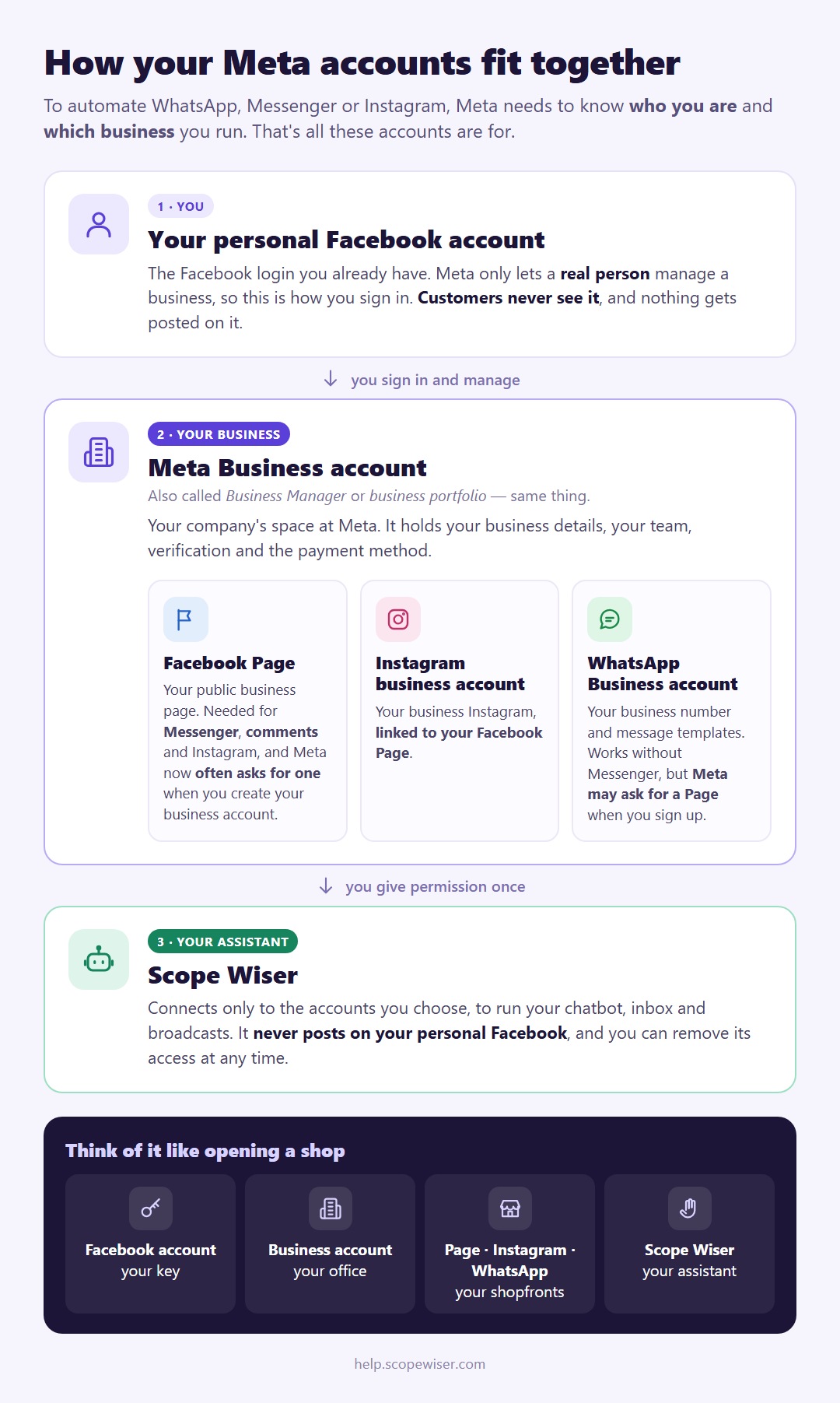
What it is | Think of it as | Who sees it | |
|---|---|---|---|
Personal Facebook account | The account you already use to log in to Facebook | Your key | Only you. Customers never see it. |
Meta Business account | Your company's space at Meta. Business Manager and business portfolio are the same thing. | Your office | You and the team members you add |
Facebook Page | Your business's public page on Facebook | A shopfront | Everyone |
Instagram business account | Your business Instagram, linked to your Page | A shopfront | Everyone |
WhatsApp Business account | Your business number, templates and message payments | A shopfront | Customers who chat with you |
Scope Wiser | The tool that runs your chatbot, inbox and broadcasts | Your assistant | Only your team |
Which ones do you need?
It depends on the channels you want. Find your channel in the picture below.
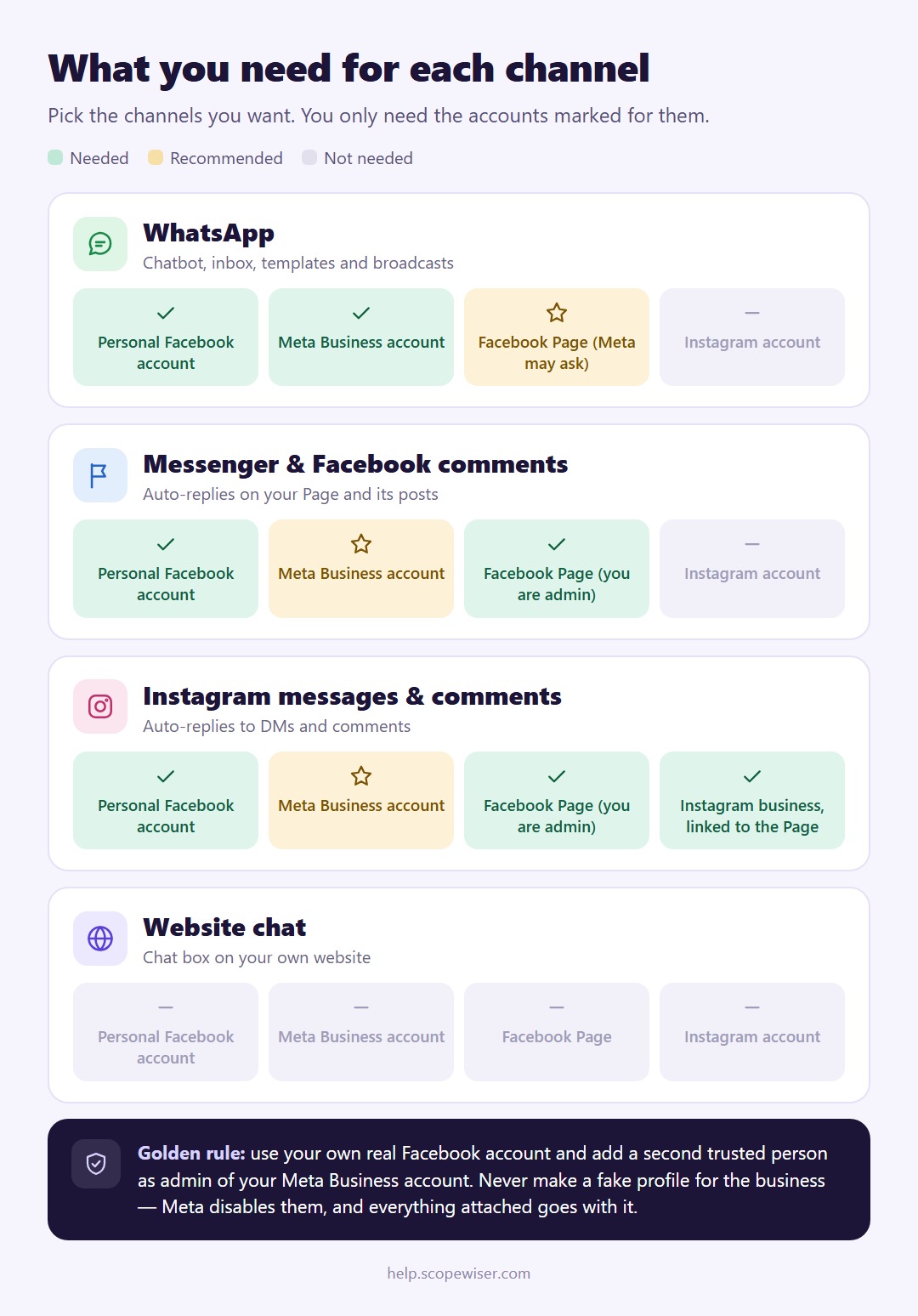
WhatsApp only? You need your personal Facebook account and a Meta Business account. WhatsApp itself doesn't use a Page, but Meta may ask for one while you create the business account. If it does, create a simple business Page.
Messenger or Facebook comments? You need a Facebook Page that you administer. A Meta Business account is recommended, so the Page belongs to the business and not to one person.
Instagram? You need a Facebook Page and an Instagram business account linked to it.
Website chat only? You don't need anything from Meta.
Take your time: don't do everything in one day
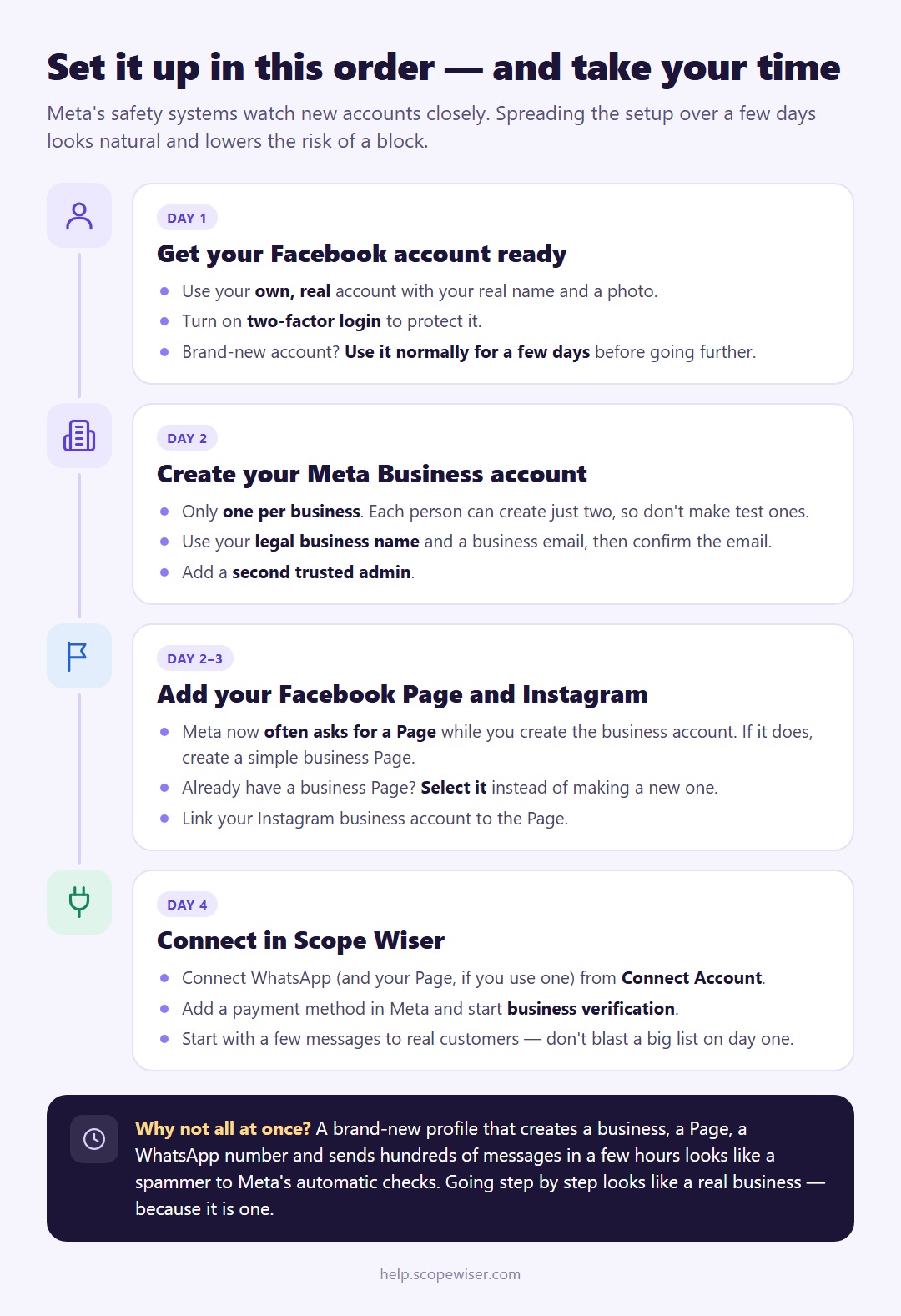
Meta's automatic safety checks watch new accounts closely. Imagine a brand-new profile that creates a business, a Page and a WhatsApp number, then messages hundreds of people in one afternoon. To Meta, that looks like spam, and the account can be restricted (blocked from some actions). Spread the setup over a few days. Then it looks like what it is: a real business getting started.
Important: each person can create only two Meta Business accounts, and a restricted one still counts until Meta lifts the restriction. Never create a "test" one.
Six common questions
"Do I need a Facebook Page to create a Meta Business account?" Meta now often asks for one while you create the business account, even if you only want WhatsApp. If it asks, select your existing business Page, or create a simple one with your business name and logo. It takes two minutes, and you'll need it anyway if you add Messenger, Facebook comments or Instagram later.
"Why can't I just use a business email?" Meta lets only real people manage businesses. You log in with your own Facebook account. The business itself lives in the Meta Business account. Your email still matters: Meta uses it to verify the business.
"Will Scope Wiser post on my personal Facebook?" No. Your personal account is only the key you log in with. Scope Wiser works only with the business accounts you choose. It never posts on your personal profile.
"Should I create a new Facebook profile just for the business?" No. Meta often disables profiles that aren't a real person, and everything attached to them (your Page, your WhatsApp number) can be locked with it. Use your own account.
"What if the person who set it up leaves the company?" Add a second admin (a second person with full access) to the Meta Business account. If only one person has access and they leave, getting it back from Meta is slow and difficult.
"I already have a Business Manager. Do I need a new Meta Business account?" No. It is the same thing with a new name. Use the one you have. Two of them for one business cause problems later.
✅ You're ready when…
☐ You can log in to Facebook with your own account
☐ You know which channels you want (WhatsApp, Messenger, Instagram, website)
☐ For WhatsApp: you have, or are about to create, a Meta Business account
☐ For Messenger or Instagram: you are an admin of your business's Facebook Page
☐ A second trusted person will be added as admin
☐ You plan to spread the setup over a few days
Next step
Next: Step 1: Sign In and Find Your Way Around. Already signed in to Scope Wiser? Go straight to Step 2: Set Up Your Meta Business Portfolio. It shows you how to find or create your Meta Business account and check you have full access.