
Keyword Filters & Offensive-Comment Moderation
Give precise answers to the questions that repeat, and keep abuse off your posts: keyword-filtered comment replies, fallback messages, and hide-or-delete moderation.
One screen does two jobs: it decides what to reply when a comment contains a word you were hoping for, and what to do when it contains a word you were not.
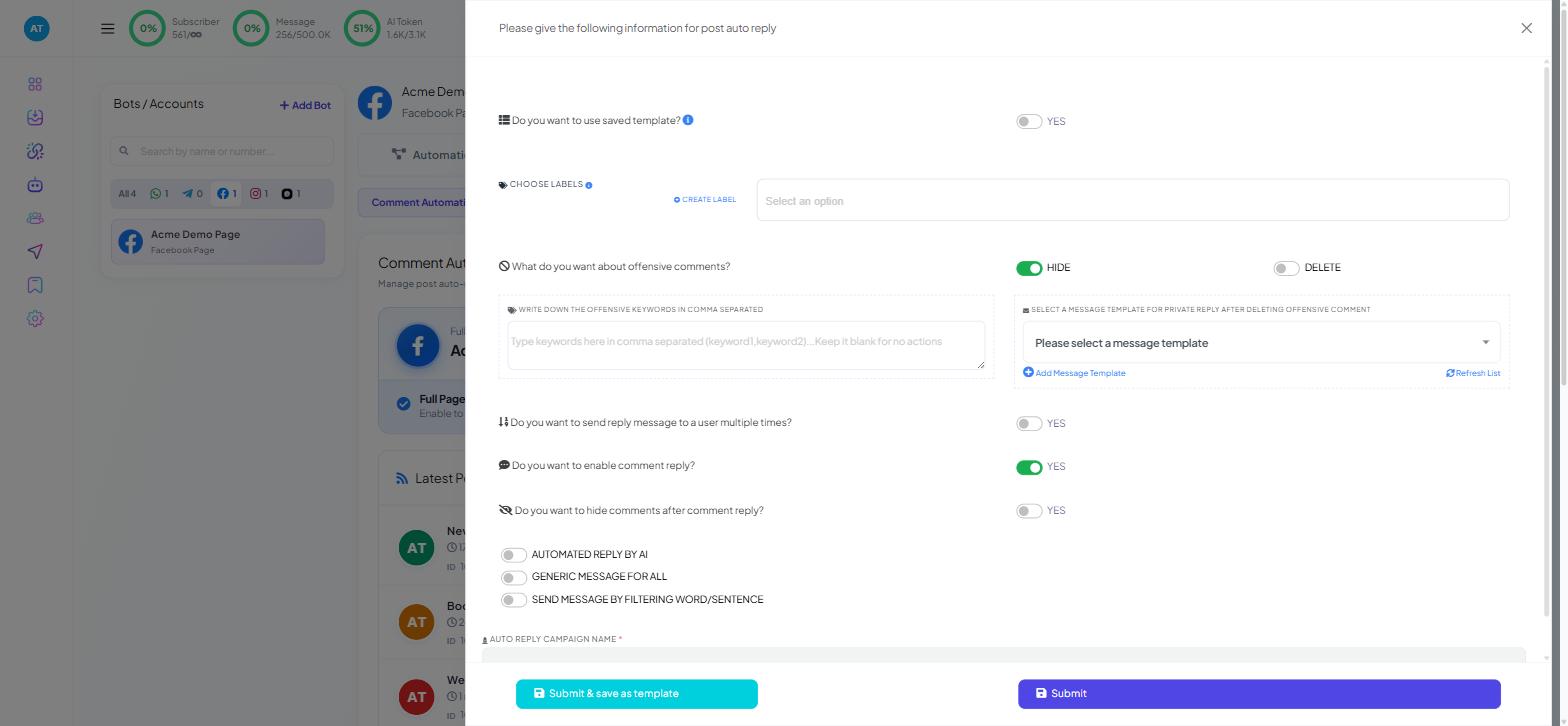
Both live in the auto-reply configuration for a post or a page, under Chatbot Manager → your Facebook or Instagram bot → Engagement → Comment Automation. They work independently: moderation runs whichever reply mode you have chosen, so you can filter abuse while replying with AI, or while replying with a single generic message.
Part one: keyword-filtered replies
Filtered replies are the third of the three reply modes, alongside generic and AI. Instead of one answer for everyone or a generated answer for each person, you list trigger words and give each one its own reply.
Use this mode when the answers are facts. Prices, sizes, delivery zones, opening hours and stock are things you want stated identically every time and changed in exactly one place. An AI reply paraphrases; a filtered reply repeats.
Setting it up
In the reply configuration, choose the filtered-reply mode and give the campaign a name.
Choose how strictly a comment has to match:
Exact match fires only when the comment is the trigger word and nothing else. Good for campaign keywords —
STYLE,GUIDE,PRICE— where you have told people what to type.Contains fires when the word appears anywhere in the sentence. Good for real questions, because nobody comments the single word "delivery"; they comment "how long is delivery to Muscat?".
Add the filters. Each one takes a trigger word or phrase and the reply to send, and each can carry an image or video — a price list graphic, a size chart, a short demo clip.
Write the no-match reply. This is what gets posted when a comment matches none of your triggers, which is most comments. Keep it neutral and useful: a thank-you plus an invitation to message you. "Thanks for your comment — send us a message and we'll help." A fallback that pretends to answer something is worse than no fallback at all.
Choosing keywords that work
Write down what people actually type, not what you would type. Pull twenty comments from your last few posts and look at the words in them. "Cost", "how much", "price", "kam" and "?" are five different triggers for one question.
Cover the misspellings. "Delivary" and "shiping" are trigger words. Add them.
Put the most important rules first. A comment reading "price and delivery?" contains two triggers, so put the more valuable answer earlier and consider a combined rule for common pairs.
Keep the list short enough to maintain. Ten well-chosen rules that are correct beat forty that are half out of date.
Do not put a price in a keyword reply you cannot update the same day it changes. Say the range, or invite a message.
A filtered reply can also send the commenter a private message — see Auto-Reply to Comments on Your Posts.
Part two: offensive-comment moderation
The second job on the same screen. You supply a comma-separated list of words, and choose what happens when a comment contains one.
Hide removes the comment from everybody's view except the person who wrote it. From their side nothing has happened — their comment is still there when they look — so there is no second, angrier comment about being censored. This is the right default.
Delete removes it outright. The person can tell, and often responds. Reserve it for material you cannot leave attached to your page at all.
Either action can be paired with a private message to the commenter. A short, calm one — "We've received your message and someone will reply to you here" — turns a public argument into a private conversation.
Building the word list
Start with three categories rather than a list of insults:
Profanity and abuse. The obvious core. Include the common obfuscations, because people use them.
Spam patterns. "Whatsapp me", "dm for promotion", "cheap followers", "investment". This category catches far more comments than abuse does on most business pages, and it is the one people forget.
Words that are wrong on your page specifically. A competitor's name pasted under every post. A defamatory claim you have already dealt with. A phrase used by a particular troll.
Review the list monthly. It goes stale faster than any other setting in the product.
What moderation will not do
It matches words, not meaning. A comment that is unpleasant without containing any listed word goes through. A comment containing a listed word innocently — "this is sick" — gets hidden. Both happen, and neither is a fault in the configuration.
Which mode to run where
Situation | Reply mode | Moderation |
|---|---|---|
Giveaway or contest post | Generic | On, spam list |
Product post with price and stock questions | Filtered keyword | On |
Support-shaped page, varied questions | AI | On, full list |
Sensitive campaign or public issue | Filtered, narrow | Delete, plus a private message |
Moderation stays on in all four. It costs nothing when nothing matches.
What to do next
Once the rules are right for one post, Page-Wide Comment Automation shows how to apply the same behaviour to every post on the account without configuring each one, and where that is a bad idea.