
Getting Help: What to Check and What to Send
What to check before you ask for help, the details that get a support request answered on the first reply, and which problems belong to Meta rather than to Scope Wiser.
Before you ask for help, check the four things below — they explain most problems. Then gather the details in the checklist so your question can be answered in one reply.
Check these first
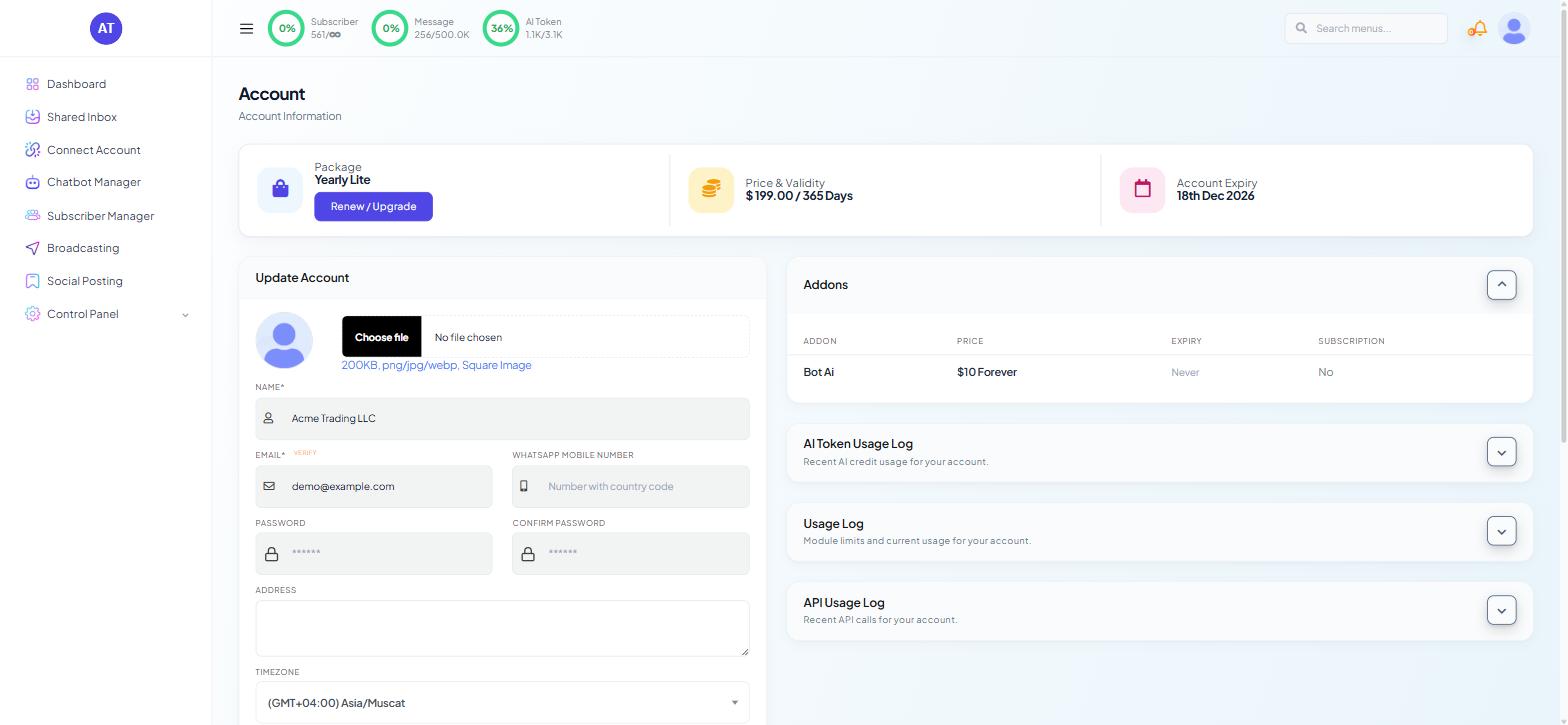
The usage meters. They sit in the top bar of every page: Subscriber, Message and AI Token, each shown against your allowance. A campaign that stopped halfway or AI replies that went silent overnight are far more often a full meter than a fault. For the detail, click your avatar, choose Account, and expand the Usage Log panel or the AI Token Usage Log.
The channel connection. Go to Connect Account. The Connected Accounts table shows a STATUS and a LAST SYNC for each account. Anything other than an active status, or a LAST SYNC that stopped updating when the problem started, points at the connection rather than at your flow.
Whether the change was published. Edits in the Bot Settings panel do not take effect until you press Publish Changes. Flows in the Flow Builder are live once you press Save. Mixing the two up is a routine cause of "the setting is not working".
The deletion log. If something was deleted, Control Panel → Settings & Integration → Data Delete Activity shows who did it (visible only if your role has Control Panel access).
Gather this before you ask
A request that includes the following is usually answered once. One that does not turns into three rounds of questions.
Which bot. The name and the phone number, Page or handle shown in the Chatbot Manager header. Copy the page address from your browser while the bot is selected.
Which flow or campaign. The REFERENCE NAME and UNIQUE ID from the Keyword Replies list, or the CAMPAIGN NAME from the Broadcast Center.
The exact error text or code, copied rather than described. WhatsApp delivery failures carry numeric codes that identify the cause precisely.
When it happened, with your timezone (set on the Account page).
Who it affected — one subscriber, one campaign, or everything. If one subscriber, include their Subscriber ID from Subscriber Manager.
What you expected instead, in one sentence.
A screenshot of the whole window, not a crop, so the usage meters, the selected bot and the page address are all in the frame.
Which problems are Meta's
Some failures are Meta's, and Scope Wiser cannot move them:
Symptom | Whose problem |
|---|---|
Message template rejected or stuck pending | Meta review — see Why Message Templates Get Rejected |
WhatsApp Business account disabled | Meta Business Support, via an appeal |
Quality rating dropped to Medium or Low | Meta, driven by how recipients respond to you |
Messaging limit tier not increasing | Meta, based on your sending history |
Delivery error codes such as 131026 or 131049 | Meta's delivery rules — WhatsApp Error Code Reference explains each |
Bot not replying, flow not saving, screen not loading | Scope Wiser support |
Connection dropped or token expired | Try Connect Account → Manage and re-sync first; if that does not restore it, Scope Wiser support |
To appeal a disabled account or a rejected template with Meta:
Fix the cause first — make the business name in Business Manager match your real trading name, and make sure your website works and describes the same business.
Go to business.facebook.com/help and choose Contact support.
Explain what you corrected.
If your issue is billing or plan related, the Transactions item in the profile menu holds the payment records you will be asked for.
Other things people ask about
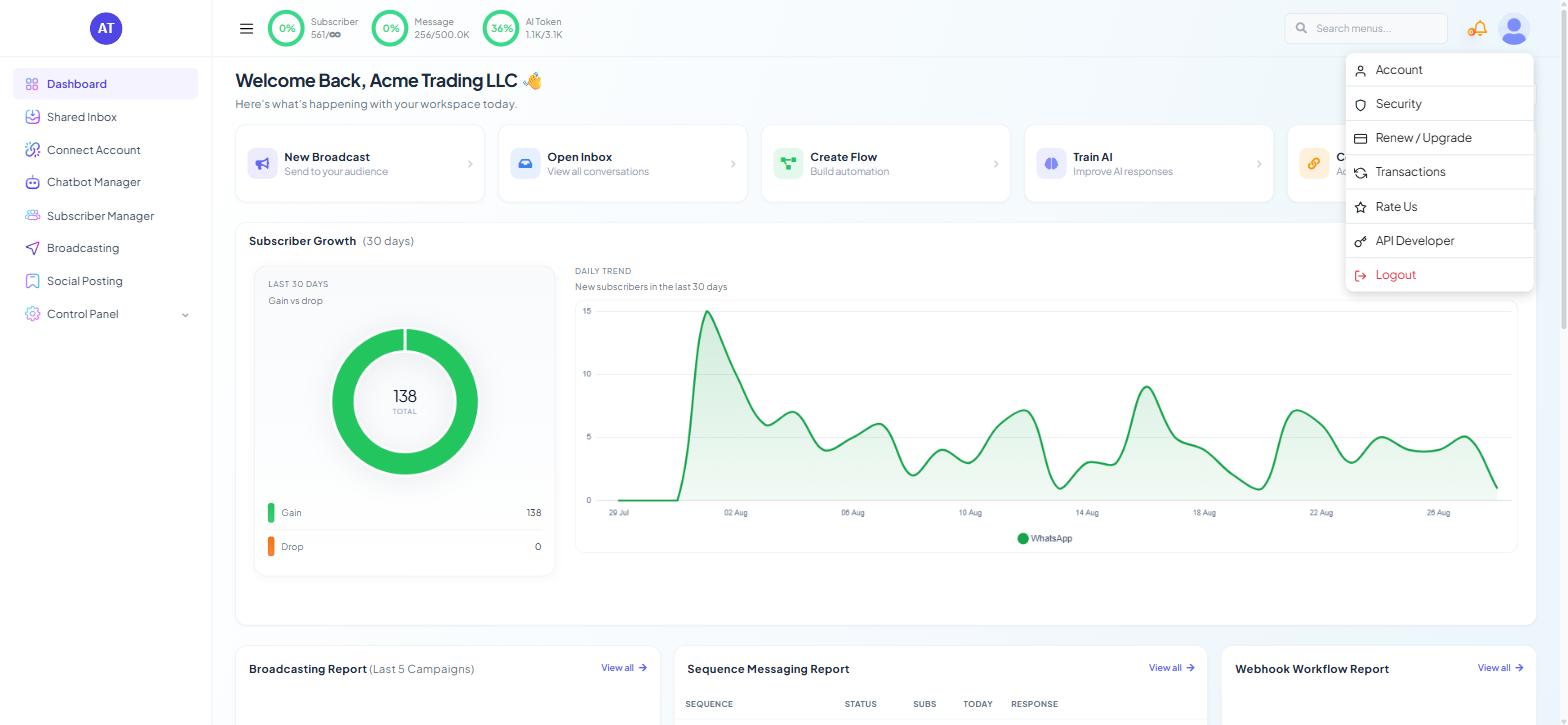
Most account questions are answered from the profile menu — click your avatar at the top right:
For your plan, expiry and payments, see Billing, Plan Limits & the Usage Log.
For two-factor authentication, email verification, passwords and the list of logged-in devices, see Account Security: 2FA, Passwords & Email Verification.
What to do next
If your bot has stopped answering, work through Why Your WhatsApp Bot Isn't Responding before asking — it resolves most cases in a few minutes. For a delivery failure with a code attached, WhatsApp Error Code Reference tells you whether the fix is yours or Meta's.