
Facebook Broadcast Analytics & Reporting
Read Messenger campaign results in Broadcast Center: what the four counts mean for an opted-in audience, and how to diagnose a broadcast that underdelivered.
What this covers: what the Messenger campaign numbers in Broadcast Center mean, and how to work out why a broadcast reached fewer people than expected.
Messenger reporting uses the same screen and columns as WhatsApp, but the numbers mean something different. Your audience isn't a list you own: it's a set of permissions that quietly expire.
Where to look
Click Broadcasting in the left menu.
Switch to the Facebook tab of Broadcast Center.
Check the Current bot: chip names the Page you want. The whole page belongs to that selection.
Report looks empty? It's usually a report for a different account. Check the bot first.
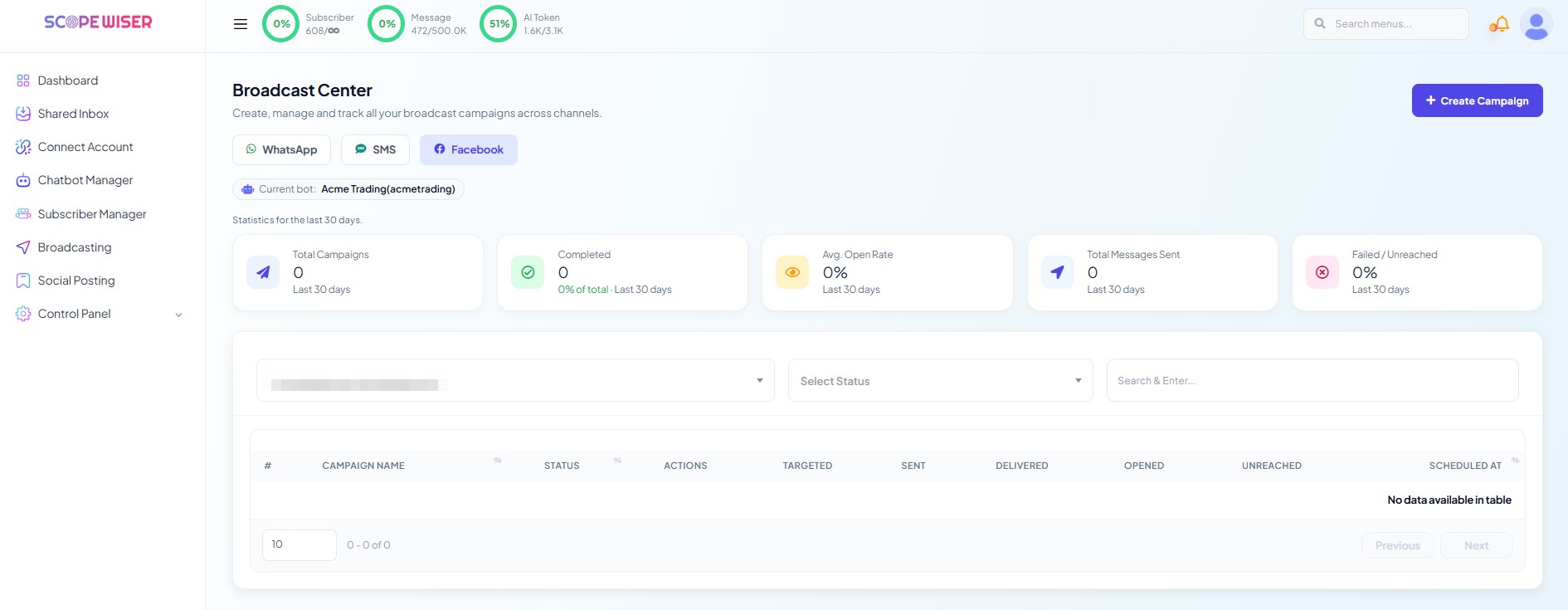
The five cards and the columns are the same as on the WhatsApp tab (see WhatsApp Broadcast Analytics & Reporting). Filter with the Select Status dropdown, or search by name with Search & Enter....
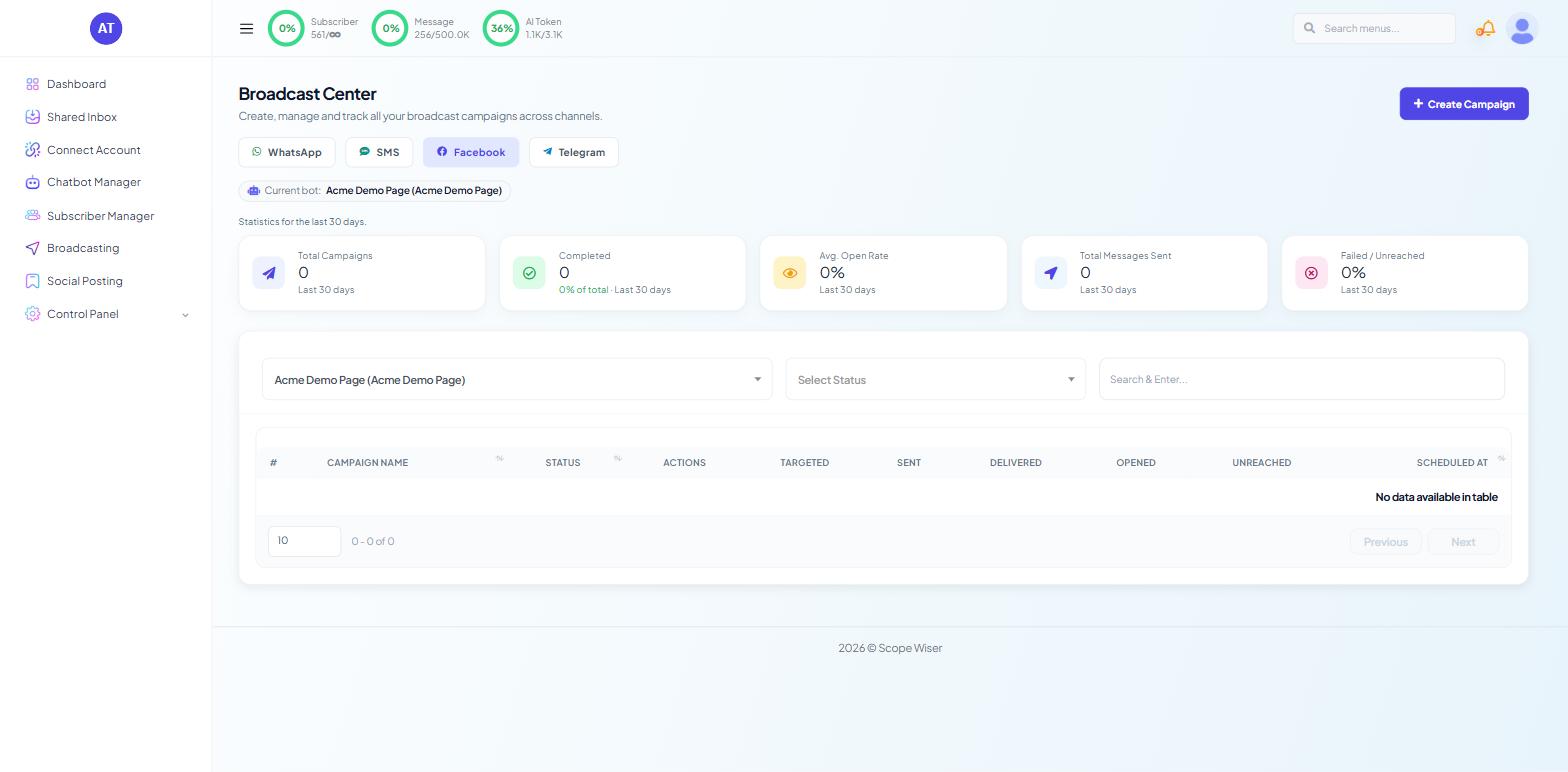
What the four counts mean here
PROCESSED: messages handed to Meta. On Messenger, this is where an expired or withdrawn permission shows up: those subscribers aren't eligible, so they never enter the funnel.
DELIVERED: messages that reached the person's Messenger.
OPENED: messages actually read. Messenger open rates tend to be high, so a low one really tells you something.
UNREACHED: people the message didn't get to.
The most useful comparison: your label's subscriber count against PROCESSED. A gap there isn't a delivery failure; it's the natural shrinking of an opted-in audience. Track it over several campaigns and it tells you how fast you need to collect new opt-ins just to stay level.
One campaign's report
The ACTIONS column on each row has controls to open that campaign's own report and to remove it. The report shows the campaign's status and its delivery breakdown.
The report doesn't count button taps. Put a Label Assign block behind each button. The label's subscriber count is then your tap count, and the segment is ready to reuse.
If something doesn't work
Work down this list in order. The first items explain most cases.
Permissions expired. Messenger permissions last for a fixed period and run out without notice. An audience collected six months ago may be mostly gone. The fix is collecting opt-ins all the time, not a bigger send.
People withdrew consent. Messenger lets people stop updates directly, so withdrawals happen completely outside Scope Wiser. A spike after a particular campaign usually means that campaign didn't match what people agreed to receive.
You messaged more often than promised. The opt-in prompt named a frequency. Going over it causes withdrawals faster than anything else.
The Page connection has a problem. Check Connect Account: the Facebook row should show a healthy connection status. A Page whose access has lapsed can't send, and the whole campaign fails rather than individual messages. Connect Your Facebook Page covers reconnecting.
Meta slows very large sends. The sign is a campaign that stays in
Processingfar longer than its size suggests. Splitting a large audience across days avoids it.The wrong label was targeted. Open the campaign's settings and check which labels were included and excluded. An exclusion on the wrong label quietly empties an audience.
Good numbers, but withdrawals are rising? You're sending more often than people agreed to. Send less often before the audience decides for you.
Comparing campaigns and deleting old ones work the same way here as on the WhatsApp tab: see WhatsApp Broadcast Analytics & Reporting.
Next: Running an RCN Broadcast Campaign, to take what you've learned into your next send. If the problem is audience size rather than engagement, RCN Postback Manager: Collecting Opt-Ins covers adding more chances to opt in.