
RCN Postback Manager: Collecting Opt-Ins
Build the Messenger opt-in flow that grows a Facebook broadcast audience: RCN Postback Manager, the RCN block, labelling opt-ins, and getting people to accept.
What you'll do: build the Messenger opt-in flow, label everyone who accepts, and give people chances to find it.
Time: 20 minutes.
A Facebook broadcast can only reach people who have given permission in Messenger, so this opt-in flow is your whole audience. RCN stands for Recurring Notifications. Facebook RCN Broadcasting Explained covers what the permission is and why Messenger requires it.
Before you start
☐ Your Facebook Page is connected
☐ You know the topic of this opt-in (for example weekly offers). Each topic needs its own postback (see Reference).
☐ An image for the request that reads clearly at thumbnail size
☐ A personal Facebook account to test from
1. Open RCN Postback Manager
Click Chatbot Manager in the left menu.
In the Bots / Accounts panel, click your Facebook bot. If you have several accounts, the channel filter chips make this quicker.
Open the Engagement tab, then RCN Postback Manager.
You should now see the list of opt-in flows you've built, which you can also edit later.
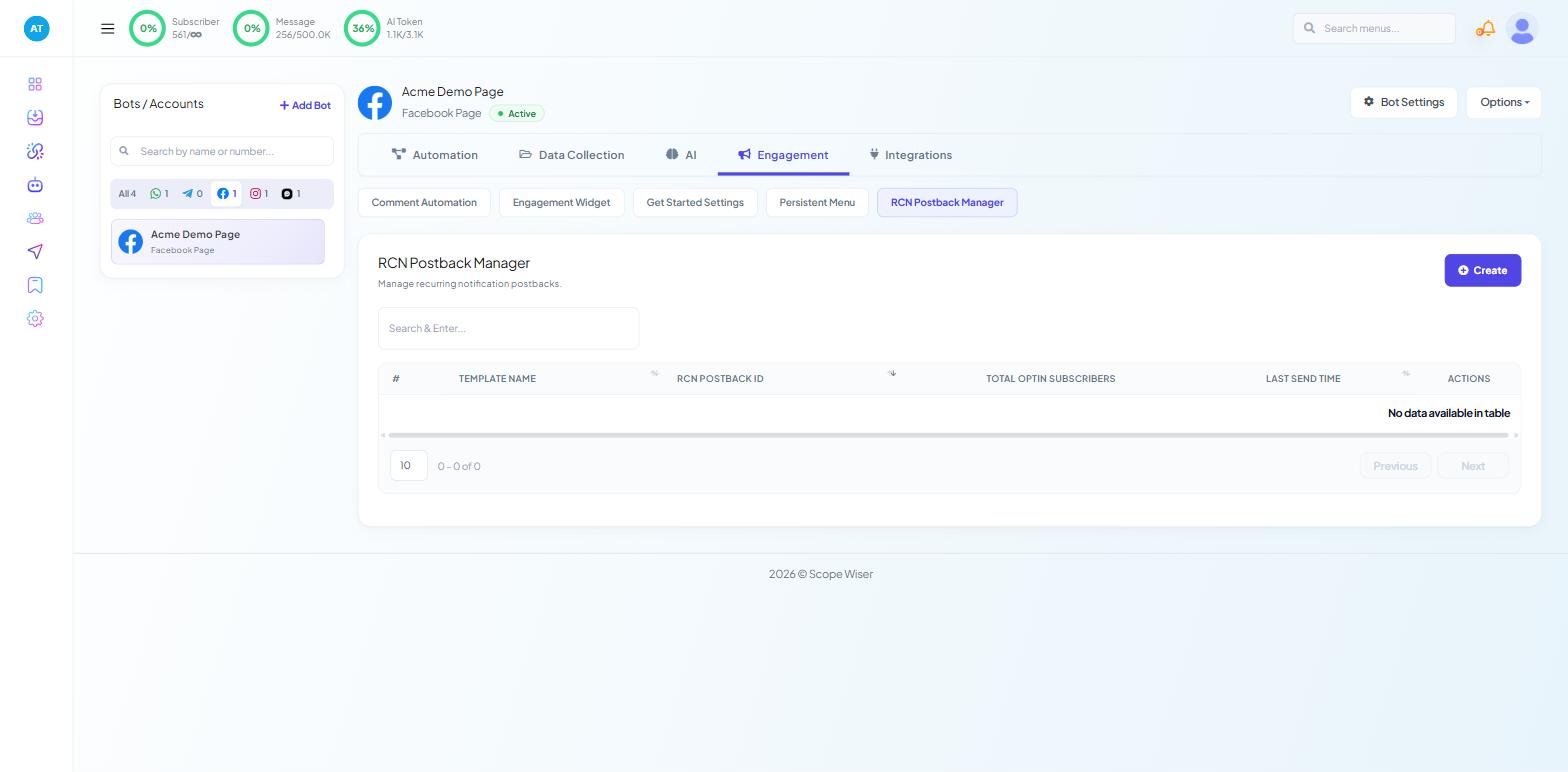
Can't find RCN Postback Manager? It only appears on Facebook bots. On a Facebook bot, Engagement has Comment Automation, Engagement Widget, Get Started Settings, Persistent Menu and RCN Postback Manager. With an Instagram or Webchat bot selected, it isn't there. That's the usual reason people can't find it.
2. Set up the entry point
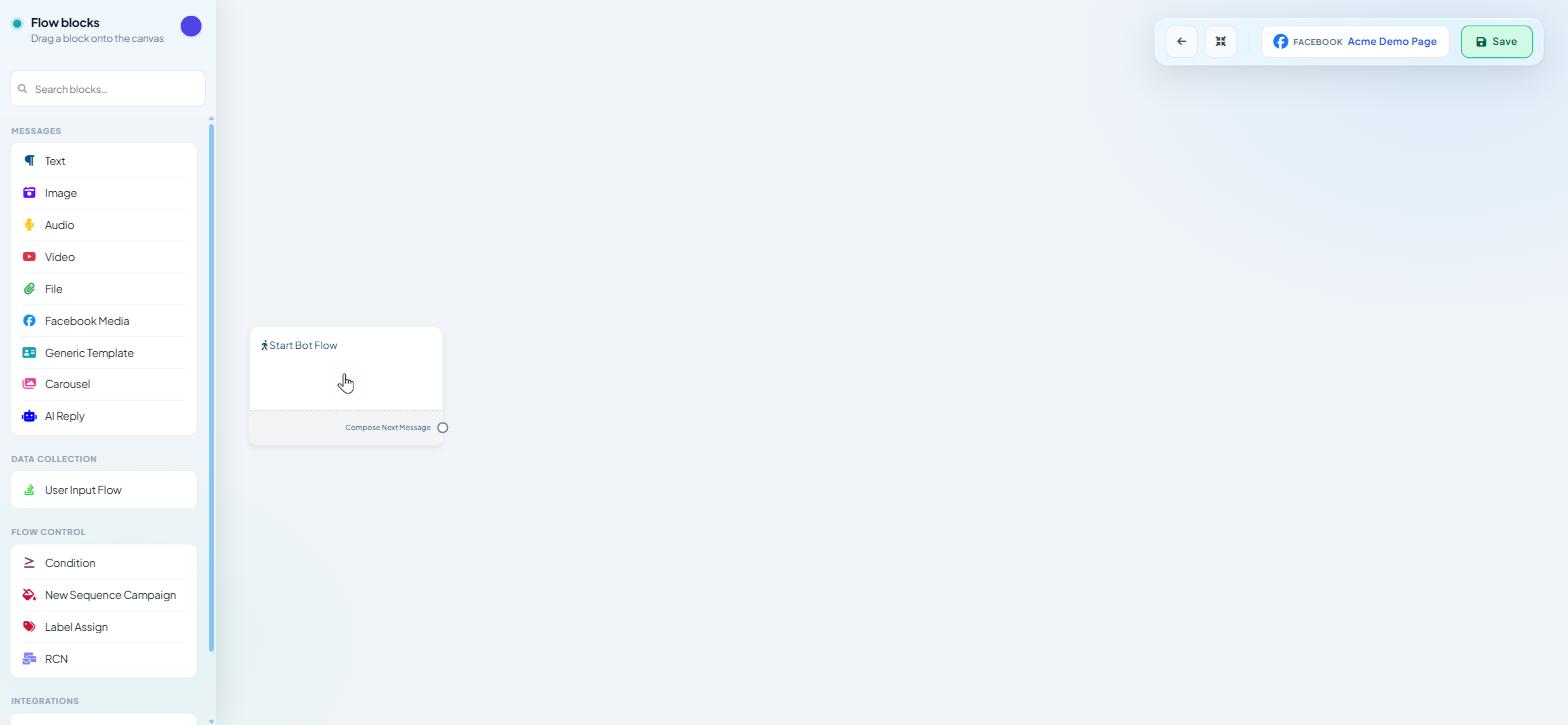
Creating a postback from this screen opens the Facebook Flow Builder. You build an ordinary flow with one special block in it.
Double-click the Start Bot Flow node.
Give it a title you'll recognise later. Describe the topic, because this is what you'll look for in a dropdown when you build the campaign:
weekly_offers_optinbeatsrcn1.Add the trigger keywords that should start this flow.
Optional: add a label if you want everyone who reaches the flow tagged, not only those who accept.
Save the node.
3. Add the RCN block
From the entry point, use Compose Next Message and drag the RCN block onto the canvas. It's in the
FLOW CONTROLsection of the blocks list, with Condition, New Sequence Campaign and Label Assign.Double-click the block and give it a title.
Choose New RCN.
Upload the image that appears with the request. It's most of what the person sees before deciding, so use something that reads clearly at thumbnail size and matches what you're promising.
Save the block.
Reopen it. Name the RCN template it created, and set the label to add to everyone who accepts. That label is how the broadcast will find them.
Save.
Set the accept label in step 6. Until it's set, every opt-in you collect is invisible to your campaigns. The label on Start Bot Flow is a different one: it tags everyone who reaches the flow.
4. Say thank you
Add a Text block after the RCN block.
Write a short confirmation: what they've subscribed to, how often it will arrive, and how to stop.
Optional: turn on Typing on display in the block's Delivery Options, so the reply feels like part of the conversation.
5. Save the flow
Click Save at the top right of the canvas.
6. Test it
From a personal account, message your own Page with the trigger keyword.
Check the request appears with the right image.
Tap accept.
In Subscriber Manager, check that subscriber has the label you set.
What the subscriber sees: your flow replies with the request, and Messenger shows its own confirmation prompt over it. Tapping accept both gives permission and adds your label. Ignoring it changes nothing.
Sending a message isn't opting in. Only the tap counts. A Page with a thousand conversations and no taps has an audience of zero for broadcasting.
✅ Done when…
☐ The request appears with the right image when you send the keyword
☐ After you tap accept, your test subscriber has the accept label in Subscriber Manager
If something doesn't work
The test subscriber has no label. Usually the accept label on the RCN template wasn't saved. Check that slot (step 3.6) before rebuilding the flow. Remember the label on Start Bot Flow is a different one.
RCN Postback Manager is missing. You have an Instagram or Webchat bot selected.
Reference
Getting more people to tap
Put the flow behind more than one door. Trigger keywords, the Get Started Settings flow for first-time contacts, the Persistent Menu, and comment-automation replies are each another chance.
Delay the ask. The Delay in reply control in a block's Delivery Options gives the conversation room before the request arrives.
Keeping topics apart
Create one postback per topic (weekly offers, service announcements, event reminders), because Messenger treats them as separate permissions.
Give each its own label, so a broadcast targets the topic rather than the whole Page. Labels, Lists & Segments covers managing the labels themselves.
Next: Running an RCN Broadcast Campaign, to send to the people who opted in. To add more ways into this flow, Keyword Replies & Postbacks covers the triggers that start it.