
Whitelist Domain for Facebook and Instagram
Meta chat widgets only load on pre-approved HTTPS domains. Where the Whitelist Domain list lives, which channels have it, and why a working widget suddenly stops on a new subdomain.
If the Messenger or Instagram chat button does not appear on your website, the domain usually has not been whitelisted. Here is how to add it.
Meta only renders these widgets on domains you have declared in advance, and only over HTTPS. Declaring them is what the Whitelist Domain list does.
Where it lives, and on which channels
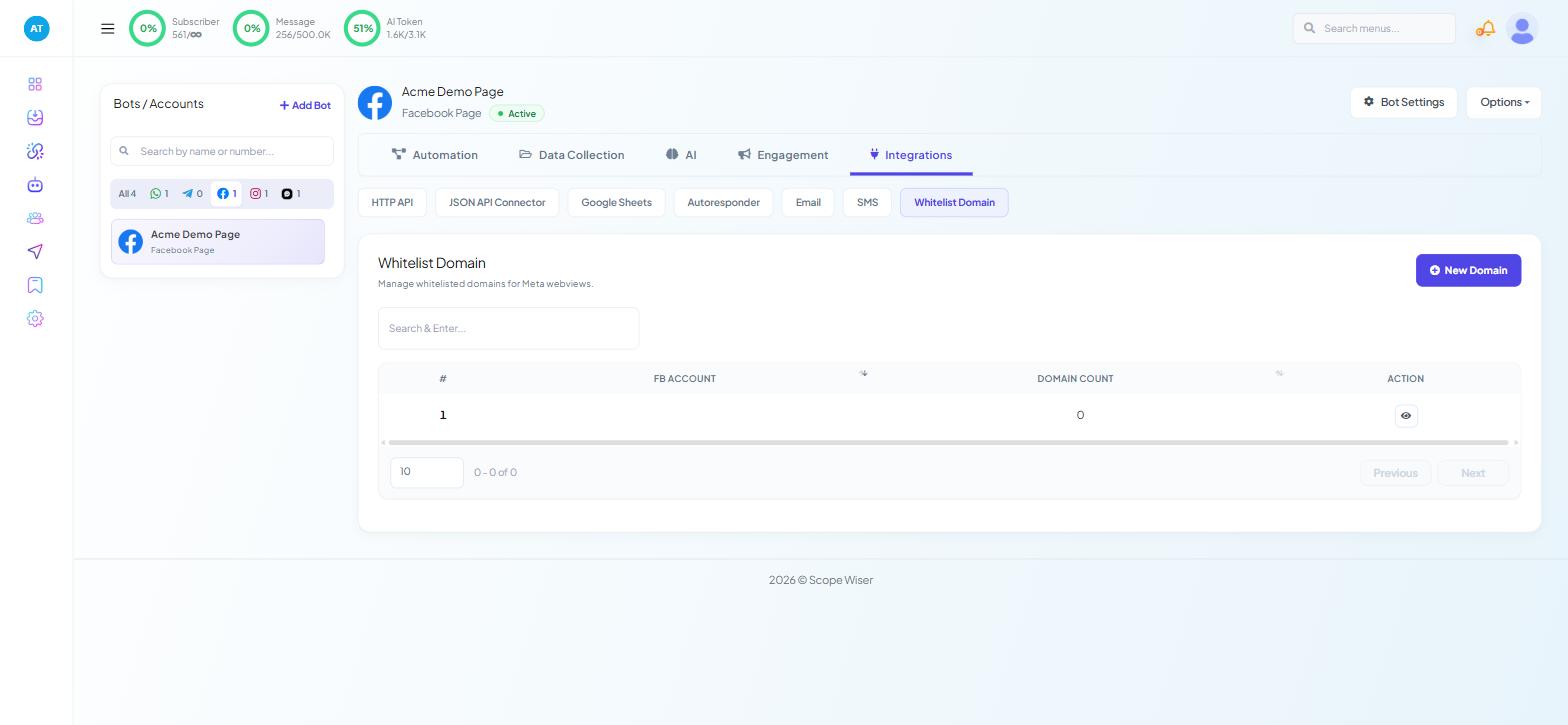
Open Chatbot Manager, select your Facebook Page or Instagram account in the Bots / Accounts panel, and go to the Integrations tab. Whitelist Domain is the last sub-tab.
The Integrations tab differs by channel, and this is one of the differences:
Channel | Whitelist Domain |
|---|---|
Yes — Integrations tab | |
Yes — Integrations tab | |
Webchat | No |
No |
Whitelisting is a Meta requirement, so it applies only to the two Meta channels. If you are embedding the Scope Wiser website widget, there is nothing to whitelist — that widget is configured under Connect Account → Webchat, and it loads on whatever site carries its embed code. WhatsApp chat entry points are links rather than embedded plugins, and are managed under Engagement → Chat Entry.
Each bot keeps its own list. Whitelisting a domain for your Facebook Page does not whitelist it for your Instagram account — add it in both places.
Adding a domain
Open Integrations → Whitelist Domain on the bot you are embedding. The page is headed Whitelist Domain — "Manage whitelisted domains for Meta webviews."
Click New Domain at the top right. A small Add New Domain dialog opens with one field.
Enter the full address, including the protocol — the field's own example is
http://xyz.com. Usehttps://if your site is served over it, which it should be.Click Save.
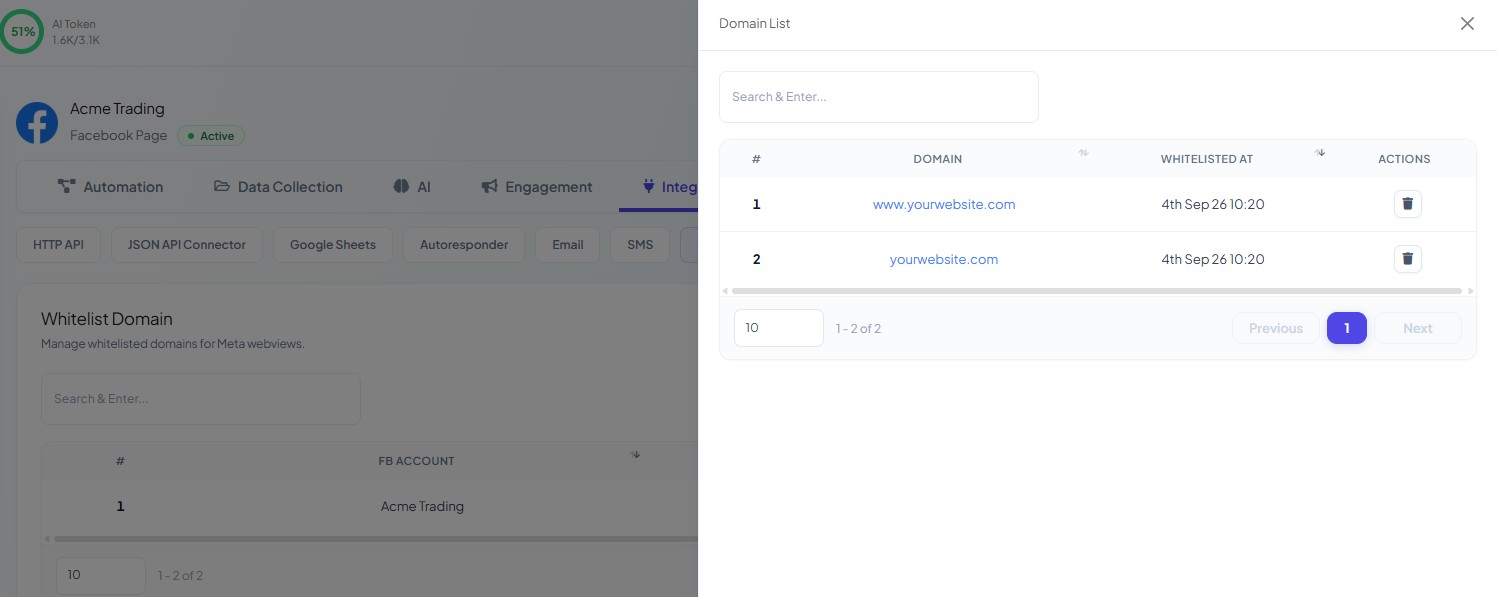
The list carries one row per connected account, with the columns #, FB Account, Domain Count and Action. The eye icon in Action — Domain List — shows the domains saved on that account.
The rules that trip people up
HTTPS only. An http:// address is rejected. If your site is not yet on a certificate, that is the first job — nothing else here will work.
Each subdomain is separate. example.com and shop.example.com are two different entries. A widget that works on your marketing site and vanishes on your shop is almost always this, and it is the single most common cause of a widget that used to work.
Whitelisting is not connecting. The domain list controls where a widget may render. It has no effect on whether your Page is connected, whether the bot is active, or whether a flow is correct. If the widget renders but does not reply, the problem is elsewhere.
What whitelisting actually does
Add the domain once; every page on it is covered. Remove domains you no longer use — a stale entry is a permission you are still granting to a domain someone else may one day control. Removals take effect immediately.
When you need it
Add every website domain and subdomain where you embed the Messenger or Instagram chat button, including staging.
On Facebook, the widget itself is configured under Engagement → Engagement Widget; the domain list only decides where it is permitted to load.
When the widget still does not appear
Work through these in order:
Protocol. Is the page served over HTTPS, with a valid certificate?
Exact host. Does the whitelisted entry match the host the browser shows, including any subdomain and any
www.prefix?Right bot. Did you add the domain to the Facebook bot, the Instagram bot, or only one of them?
Connection health. Check Connect Account — a Page showing a status other than connected will not serve a widget regardless of your domain list.
Cache. Load the page in a private window before concluding it is still broken.
If the account itself looks wrong at step four, Fixing Channel Connection Problems covers reconnection and permission errors.
What to do next
With the domain cleared, the widget still needs something to say. Persistent Menus, Get Started and Ice Breakers by Channel covers what a Facebook or Instagram visitor sees before they type anything. If the Page or account is not yet connected, start at Connect a Facebook Page or Connect Instagram DM Automation — both run through the same Facebook Integration page.