
Improving a Reply with the AI Panel
Tidy the grammar, tone and length of a live-chat reply with the AI Assistant panel in the Shared Inbox: where it is, how to ask, and what it costs.
What you'll do: tidy the grammar, tone or length of a reply using the AI Assistant panel beside the conversation, then copy the result into the reply box.
Time: 1–2 minutes per reply.
There is no rewrite button on the message composer. You ask the AI Assistant panel, and copy the result back yourself.
Before you start
☐ Your role has the BOT AI ASSISTANT permission, set under Control Panel → User Permission
1. Find the AI panel
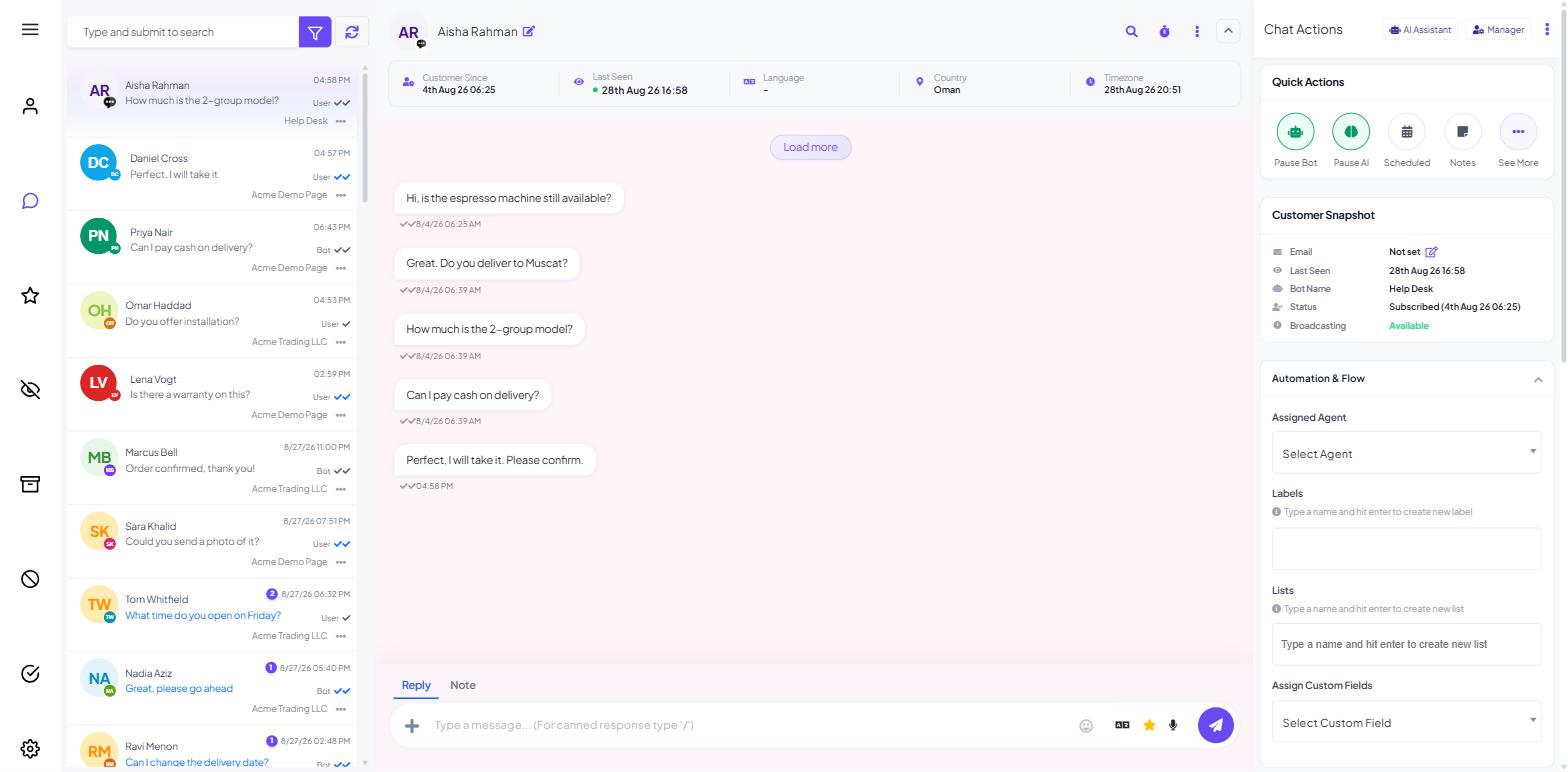
Open the conversation in Shared Inbox.
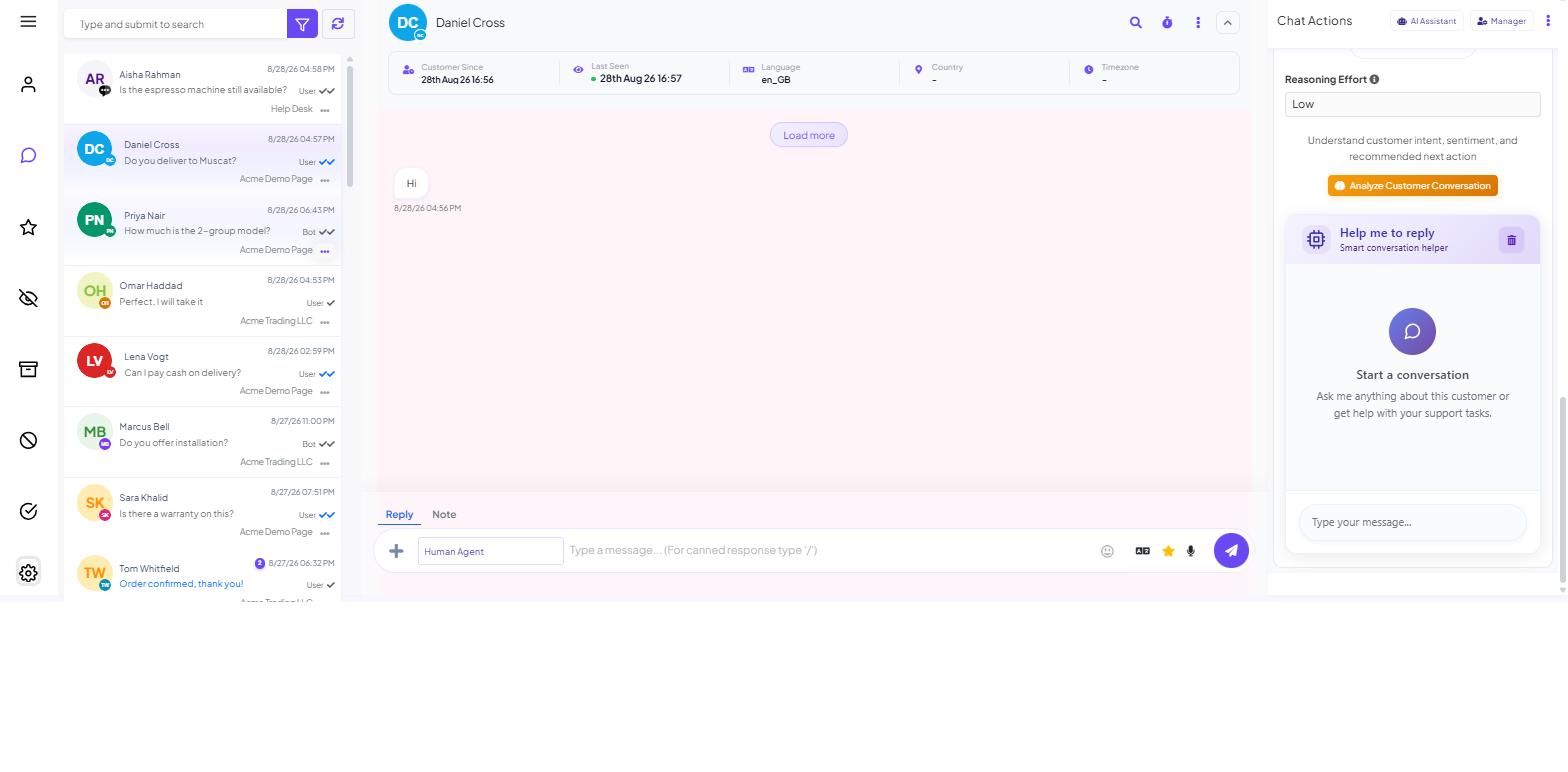
Scroll the Chat Actions rail on the right past Custom Fields, Follow-up History and Notes.
Below them is the AI Assistant panel. Inside it, find Help me to reply, subtitled "Smart conversation helper".
Its input is labelled Type your message....
This is not the customer's message box. Nothing typed in Type your message... reaches the customer.
2. Rewrite your reply
Write the reply first, in your own words, wherever you find it easiest — the composer or the AI input.
Paste it into Type your message... with a short instruction, for example: "Rewrite this to be warmer and fix the grammar."
Read what comes back. Check the facts survived: dates, amounts, order references, the actual answer.
Strip any formatting characters that show literally (see If something doesn't work).
Copy it into the composer — "Type a message... (For canned response type '/')" — and send.
The AI panel does not write into the reply box. Copy the text across yourself.
See AI in the Shared Inbox for the rest of the panel, including what Reasoning Effort does.
✅ Done when…
☐ The rewritten reply is in the composer, with every fact checked
☐ No stray formatting characters remain
If something doesn't work
The reply arrives with
**characters in it. The assistant's replies sometimes show their formatting characters literally, so a heading may arrive as**Summary:**instead of in bold. Strip those before pasting into the composer.The AI panel is missing. Your role needs the BOT AI ASSISTANT permission.
Reference
Asking well
Ask for one specific change at a time. Useful instructions:
"Fix the grammar and spelling, keep the wording as close to mine as possible."
"Make this two sentences shorter."
"Make this warmer without adding any promises."
"Rewrite this so it reads as an apology, not an excuse."
"Simplify this for someone who is not technical."
What it costs
Each rewrite uses AI tokens. Use it for complaints or important replies, not short confirmations. Save repeated replies as canned responses (type / in the composer).
AI Tokens: How Usage and Cost Actually Work has the full accounting.
What to do next
Read AI in the Shared Inbox for the conversation analysis tool, which is the more useful of the two when you are picking up a thread someone else was handling. To change the language of a reply, not its wording, see Live Chat Translation.
Next: AI in the Shared Inbox