
Improving a Reply with the AI Panel
Tidy the grammar, tone and length of a live-chat reply using the AI Assistant panel in the Shared Inbox: where the panel is, how to ask for one change at a time, and what it costs.
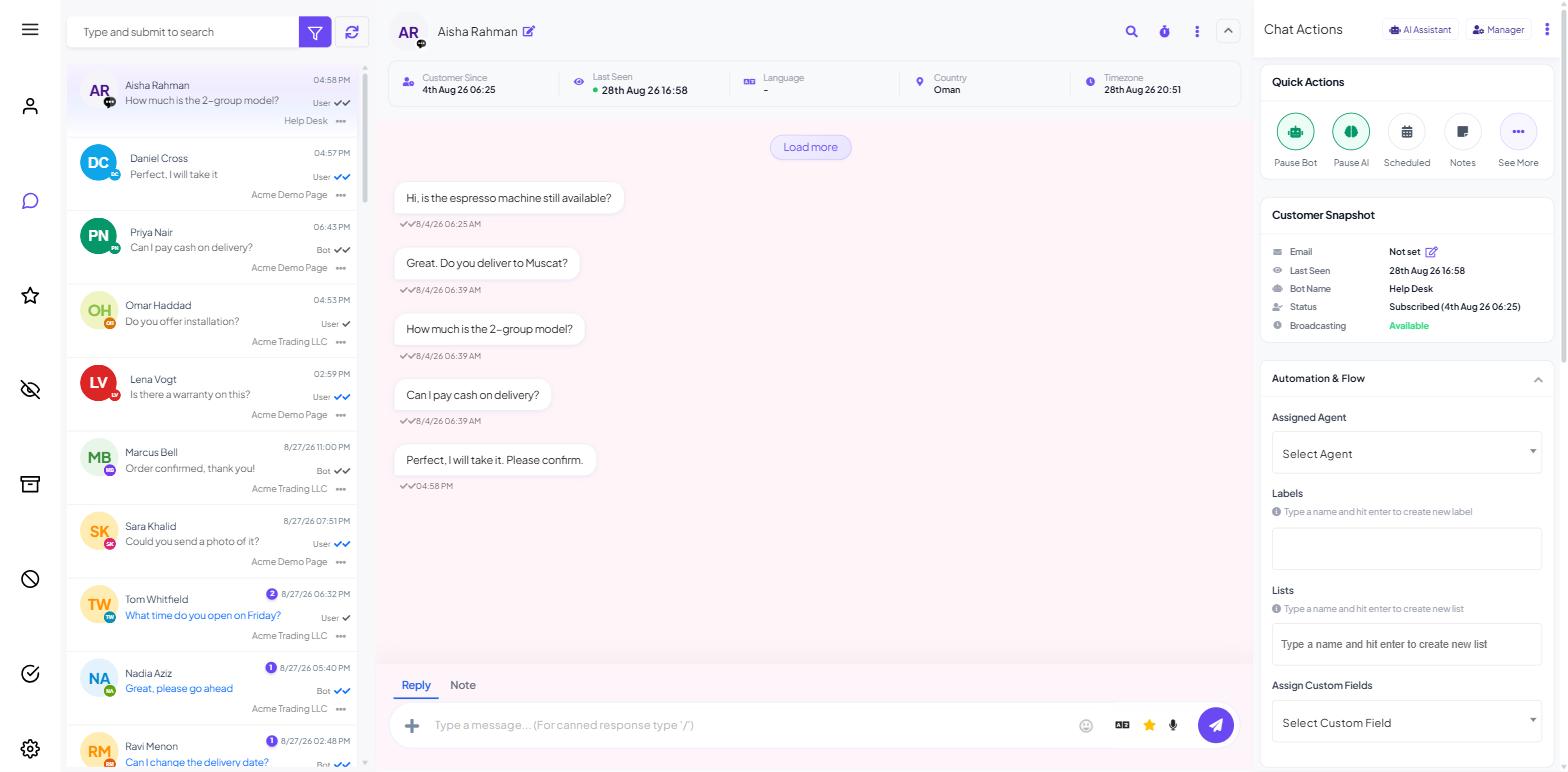
There is no rewrite button on the message composer. To tidy the grammar, tone or length of a reply, you ask the AI Assistant panel beside the conversation and copy the result back into the composer.
Rewriting through the AI panel
This needs the BOT AI ASSISTANT permission on your role, set under Control Panel → User Permission.
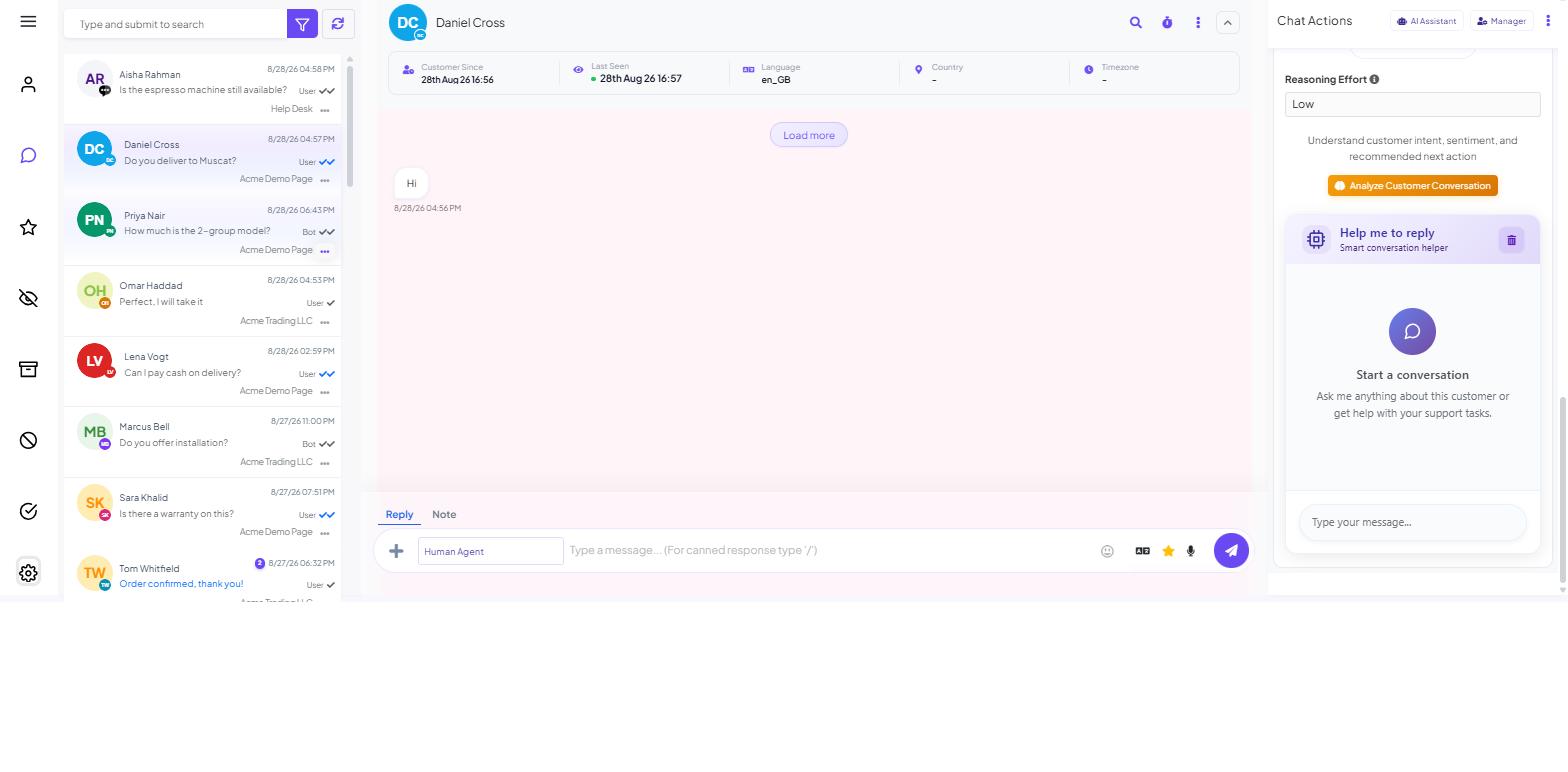
Scroll the Chat Actions rail on the right of the conversation past Custom Fields, Follow-up History and Notes. Below them is the AI Assistant panel, and inside it a tool called Help me to reply, subtitled "Smart conversation helper". Its input is labelled Type your message... — this is not the customer's message box, and nothing typed there reaches the customer.
To rewrite a reply:
Write the reply first, in your own words, wherever you find it easiest — the composer or the AI input.
Paste it into Type your message... with a short instruction: "Rewrite this to be warmer and fix the grammar."
Read what comes back. Check the facts survived — dates, amounts, order references, the actual answer.
Copy it into the composer — "Type a message... (For canned response type '/')" — and send.
The AI panel does not write into the reply box — copy the text across yourself.
See AI in the Shared Inbox for the rest of the panel, including what Reasoning Effort does.
Asking well
Ask for one specific change at a time. Useful instructions:
"Fix the grammar and spelling, keep the wording as close to mine as possible."
"Make this two sentences shorter."
"Make this warmer without adding any promises."
"Rewrite this so it reads as an apology, not an excuse."
"Simplify this for someone who is not technical."
One display quirk to expect: the assistant's replies sometimes show their formatting characters literally, so a heading may arrive as **Summary:** rather than in bold. Strip those before pasting into the composer.
What it costs
Each rewrite uses AI tokens, so use it for complaints or important replies, not short confirmations; save repeated replies as canned responses (type / in the composer).
AI Tokens: How Usage and Cost Actually Work has the full accounting.
What to do next
Read AI in the Shared Inbox for the conversation analysis tool, which is the more useful of the two when you are picking up a thread someone else was handling. To change the language of a reply rather than its wording, see Live Chat Translation.