
Payment Gateways: TAP, Instamojo & Razorpay
Take card payments for catalogue orders in chat: where a gateway attaches, how to get TAP, Instamojo and Razorpay credentials, and where paid orders are recorded.
There are three ways to get paid in chat: WhatsApp Pay, cash on delivery, or a payment gateway — this article. Cash on Delivery & Online Payments in Chat covers the first two, and Verifying Cash-on-Delivery Orders Over WhatsApp the confirmation step.
The gateways covered here are TAP (Gulf), Instamojo and Razorpay (India). Pick the gateway that works in your customers' country and currency; fees, refunds and disputes are handled in the provider's own dashboard. Scope Wiser passes the payment to the provider and records the outcome against the order — it does not hold funds, set fees, or handle disputes.
Where a gateway attaches
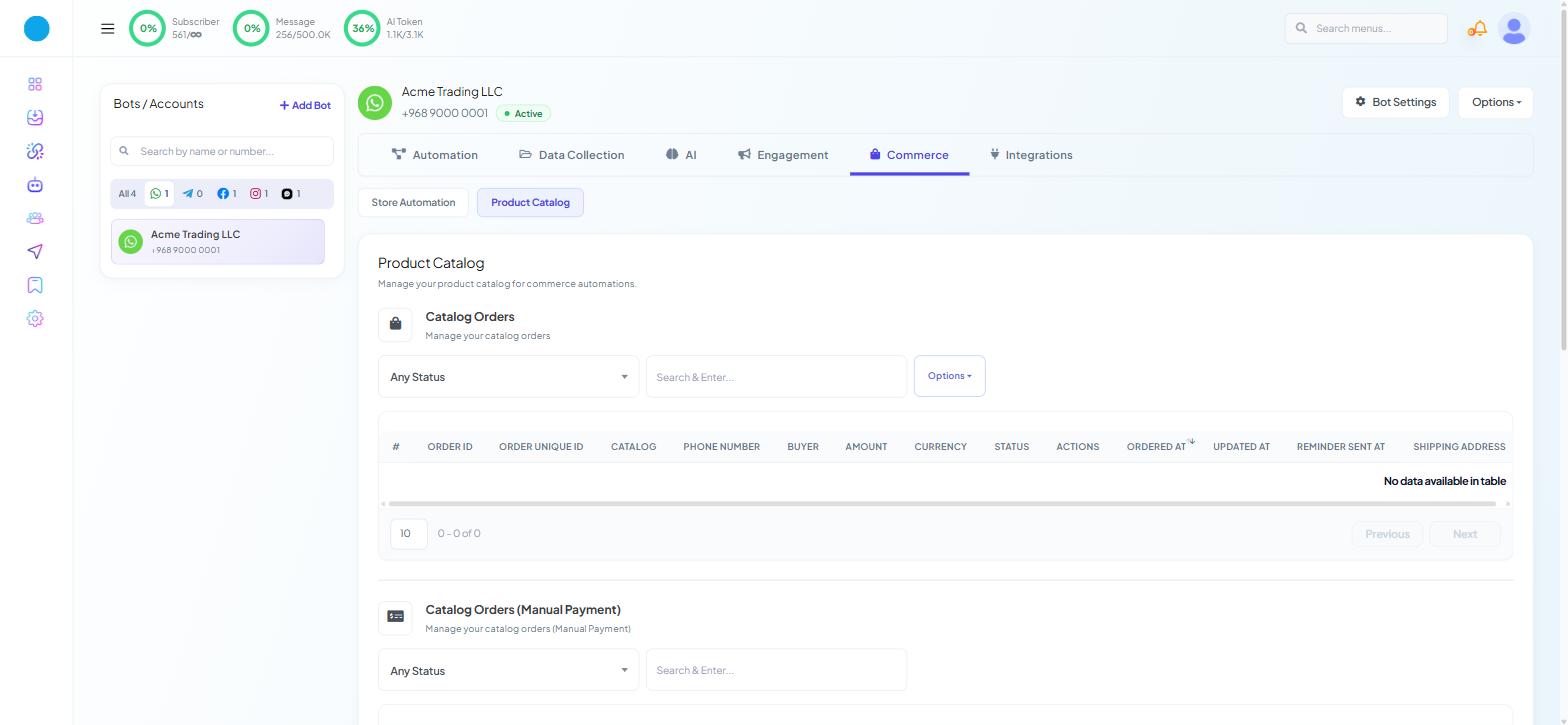
A payment gateway is attached to a catalogue, not to a bot and not to the account as a whole. That is the thing to understand before you go looking for it.
Catalogues live under Chatbot Manager → Commerce → Product Catalog on a WhatsApp bot. Scroll past the two order tables to Catalog Manager — "Manage your eCommerce catalogs" — whose rows carry IMAGE, CATALOG, PUBLIC, ACTIONS, MESSAGE TEMPLATE, SETTINGS and UPDATED AT columns. The gateway keys are entered in that catalogue's payment settings.
Remember that Commerce is a WhatsApp-only tab. There is no catalogue and no gateway configuration on a Facebook, Instagram or Webchat bot.
Getting TAP credentials
Sign in to your TAP account.
Open the goSell area.
Open API Credentials.
Copy the Secret Key and the Public Key.
Both are shown together. Keep the secret key somewhere sensible; you will need it again if you ever reconfigure, and it should never be pasted into anything public.
Use the test keys while setting up, then switch to the live keys and make one real payment before going live.
Getting Instamojo credentials
Instamojo's version 2 API uses a client ID and client secret rather than an API key.
Sign in to your Instamojo account.
Open the API & plugins section.
Click Create New Credentials.
Choose the Postman for Platform/Framework option from the dropdown. This is the credential type that yields a client ID and client secret.
Click Generate Credentials.
Copy the Client ID and Client Secret.
Step 4 is where people go wrong. Instamojo offers several credential types and only this one produces the pair Scope Wiser expects; the others generate something that looks similar and will not authenticate.
Getting Razorpay credentials
Sign in to the Razorpay Dashboard.
Open Settings.
Open API Keys.
Click Generate Key.
Copy the Key ID and the Key Secret.
This is separate from the Razorpay used to pay your own Scope Wiser subscription. Do not reuse credentials between the two without deciding that is what you want.
Reconciling what happened
Gateway payments appear in Catalog Orders; bank-transfer orders appear in Catalog Orders (Manual Payment), which carries an ATTACHMENT column for the evidence the customer sends. Both sit under Chatbot Manager → Commerce → Product Catalog, and both have an Any Status filter and a Search & Enter... box. Check both when looking for an order.
Treat these tables as a record of what happened in the conversation, not as your books. The provider's own dashboard is the authority on what settled, when, and net of what.
When a payment fails
The payment step never appears. No gateway is active on that catalogue, or the catalogue the customer is browsing is not the one you configured.
The gateway rejects everything. Test credentials in a live configuration, or a secret copied with trailing whitespace.
Instamojo will not authenticate. The wrong credential type was generated. Create a new set using the Postman option.
Payment succeeds but the order is not updated. The provider took the money and the callback did not arrive. Check the provider's dashboard first; the customer has paid, so this is a fulfilment issue, not a payment one.
It worked and then stopped. Credentials were rotated on the provider's side, or the merchant account was suspended for verification.
What to do next
Read Cash on Delivery & Online Payments in Chat for how a gateway sits alongside the other ways an order gets paid for, and Connecting Your WhatsApp Catalog if the catalogue itself is not set up yet — the gateway has nothing to attach to until it is.