
Facebook RCN Broadcasting Explained
How Messenger's 24-hour rule works, what the RCN opt-in gives you, where the three RCN pieces live in Scope Wiser, and when a Facebook broadcast is the right tool.
Messenger has the same 24-hour rule as WhatsApp: you can message someone freely for a day after they message you, and then the door closes. WhatsApp's answer is the pre-approved template. Messenger's is different — you ask the person, inside the chat, for permission to keep messaging them, and they tap yes or no.
Scope Wiser calls this RCN (Recurring Notifications, Meta's name for the permission).
What the permission actually is
Your bot presents a request in the conversation, naming what the updates are about and how often they will arrive. Messenger draws its own confirmation prompt. If the person accepts, you may message them about that subject beyond the 24-hour window for a fixed period; if they decline, nothing changes and you are still bound by the window.
Three properties follow, and they shape everything you do with it:
Consent is per topic. Permission to send weekly offers is not permission to send service announcements. Ask separately for genuinely different subjects.
Permission expires. It runs for a defined period, not forever, and lapses quietly. Someone who opted in last year is not necessarily reachable today.
People can withdraw it at any time. Messenger gives them the control directly, so opt-outs happen outside your product entirely.
None of this is negotiable from Scope Wiser's side. It is Meta policy, enforced by the platform. Without it you cannot message Page followers after 24 hours, and there is no list import — every opt-in is earned one conversation at a time.
Where the three pieces live
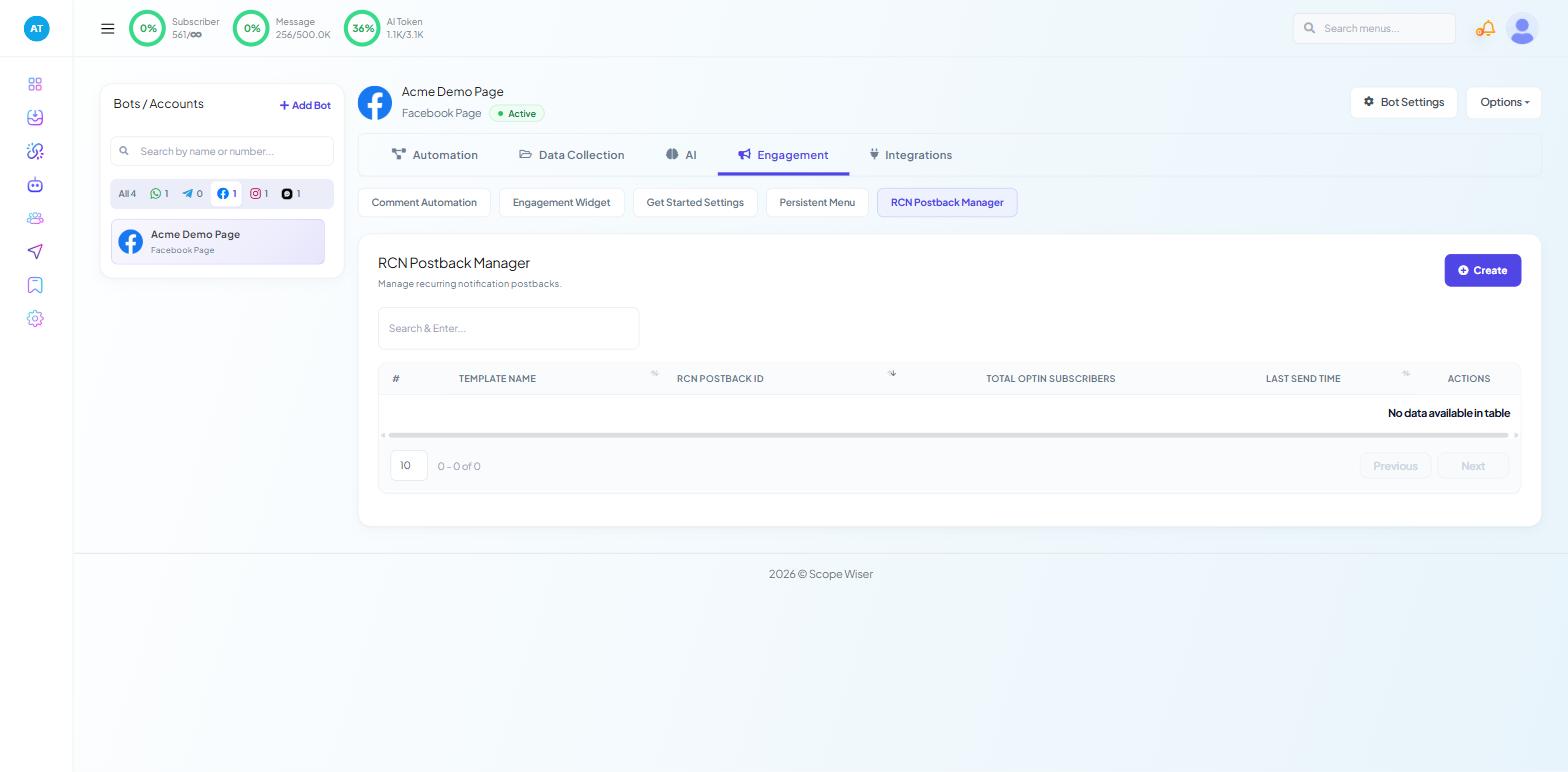
1. RCN Postback Manager — Chatbot Manager, select your Facebook bot, then the Engagement tab and its RCN Postback Manager sub-tab. This is where opt-in postbacks are created and kept. It is a Facebook-only sub-tab; Instagram, Webchat and WhatsApp bots do not have it.
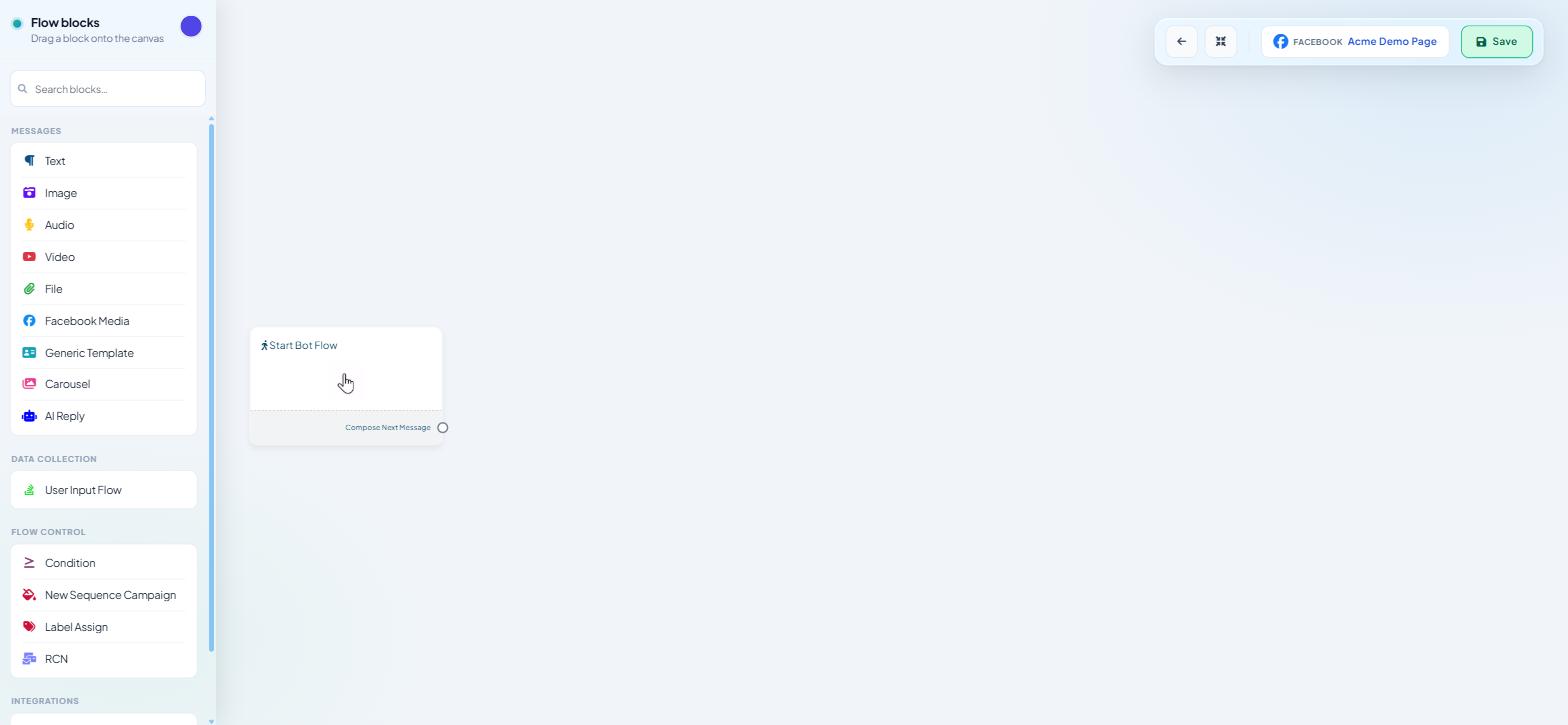
2. The RCN block in the Facebook Flow Builder. Open a flow on a Facebook bot and the palette's FLOW CONTROL section reads Condition, New Sequence Campaign, Label Assign and RCN. That block puts the opt-in request into a conversation.
3. Broadcast Center's Facebook tab. Sidebar Broadcasting, then the Facebook tab, where campaigns to your opted-in audience are created and tracked.
How the whole thing runs
Create the postback. In RCN Postback Manager, build the flow that will collect the opt-in. It is a normal flow with an RCN block in it.
Give people a way to reach it. A trigger keyword, a Get Started button, a comment-automation reply — anything that starts the flow.
They tap accept. Messenger's own prompt appears; if they accept, they join that topic's audience, carrying whatever label you assigned in the flow.
Broadcast to them. Later, from Broadcast Center's Facebook tab, you create a campaign targeting that label and it reaches people who have not messaged you in weeks.
Read the results. The campaign table reports processed, delivered, opened and unreached.
Steps 1 and 2 are covered in RCN Postback Manager: Collecting Opt-Ins. Steps 4 and 5 are in Running an RCN Broadcast Campaign.
What it is good for
The opt-in prompt names a subject, so the content has to match it:
A weekly offer or restock notice for a shop
A monthly newsletter or content digest
Event and session reminders for people who registered
Programme updates for a course or membership
Cautions
Quality still matters. Consent does not exempt you from Meta's quality monitoring. Reports and blocks affect a Page the way they affect a WhatsApp number.
Match the promised frequency. Someone who agreed to weekly updates and receives daily ones will withdraw permission.
Permissions expire, so keep collecting. Build opt-in opportunities into your flows continuously rather than running one campaign to gather them.
Nothing carries across from WhatsApp. A template approved for WhatsApp does nothing on a Page, and an RCN opt-in does nothing for a WhatsApp number.
What to do next
Start with RCN Postback Manager: Collecting Opt-Ins, because a Facebook broadcast has no audience until opt-ins exist. If your Page is not connected yet, Connect Your Facebook Page comes first.