
Running an RCN Broadcast Campaign
Send a Messenger broadcast to your opted-in Facebook audience: Broadcast Center's Facebook tab, the campaign drawer in the Flow Builder, targeting by label, and scheduling.
Once people have granted RCN permission (Recurring Notifications) in Messenger, sending to them follows the same shape as a WhatsApp broadcast: Broadcast Center, a campaign drawer, a flow behind it. What differs is the audience — only those who opted in — and the palette you build the message with.
If you have no opt-ins yet, read RCN Postback Manager: Collecting Opt-Ins first. A campaign with no permitted recipients sends nothing and reports nothing.
Step 1: Open the Facebook tab
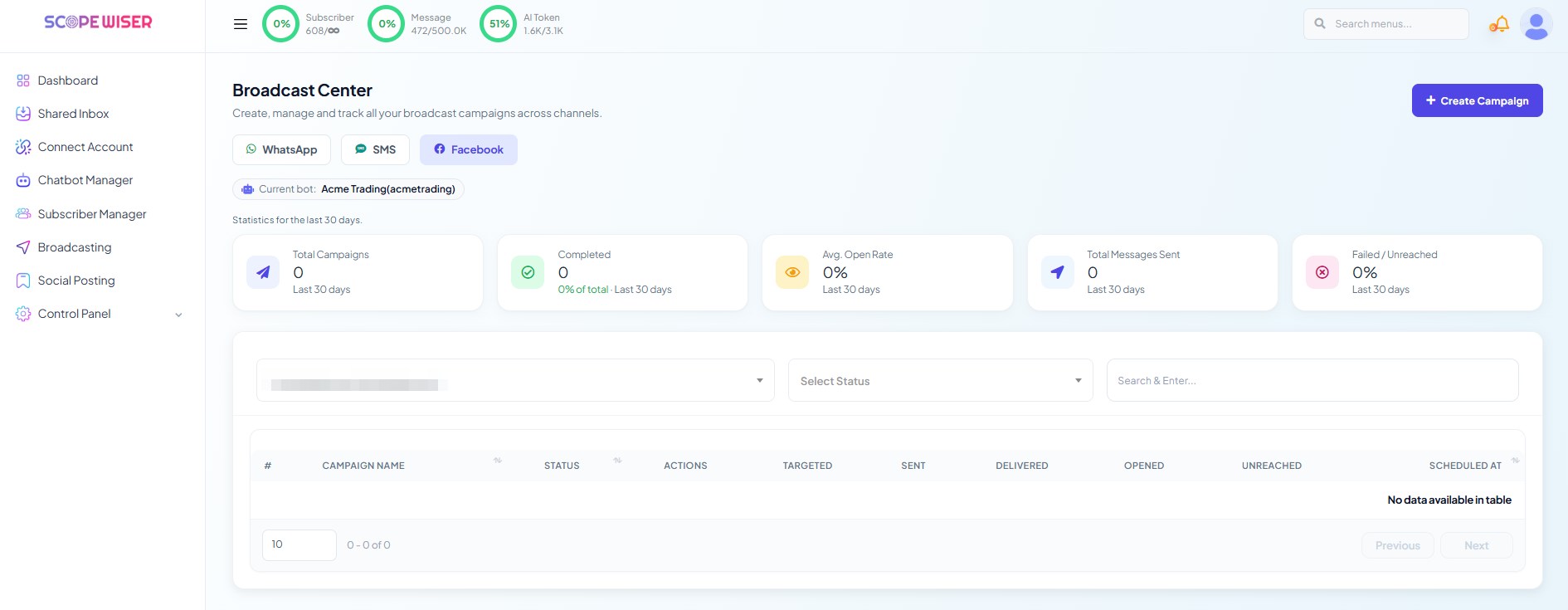
From the sidebar, open Broadcasting. On the Broadcast Center page, switch from WhatsApp to the Facebook tab.
Check the Current bot: chip. It must name the Facebook Page whose subscribers you want, not a WhatsApp account left over from your last campaign. Everything on the page is scoped to that selection.
Same cards and columns as the WhatsApp tab.
Step 2: Create the campaign
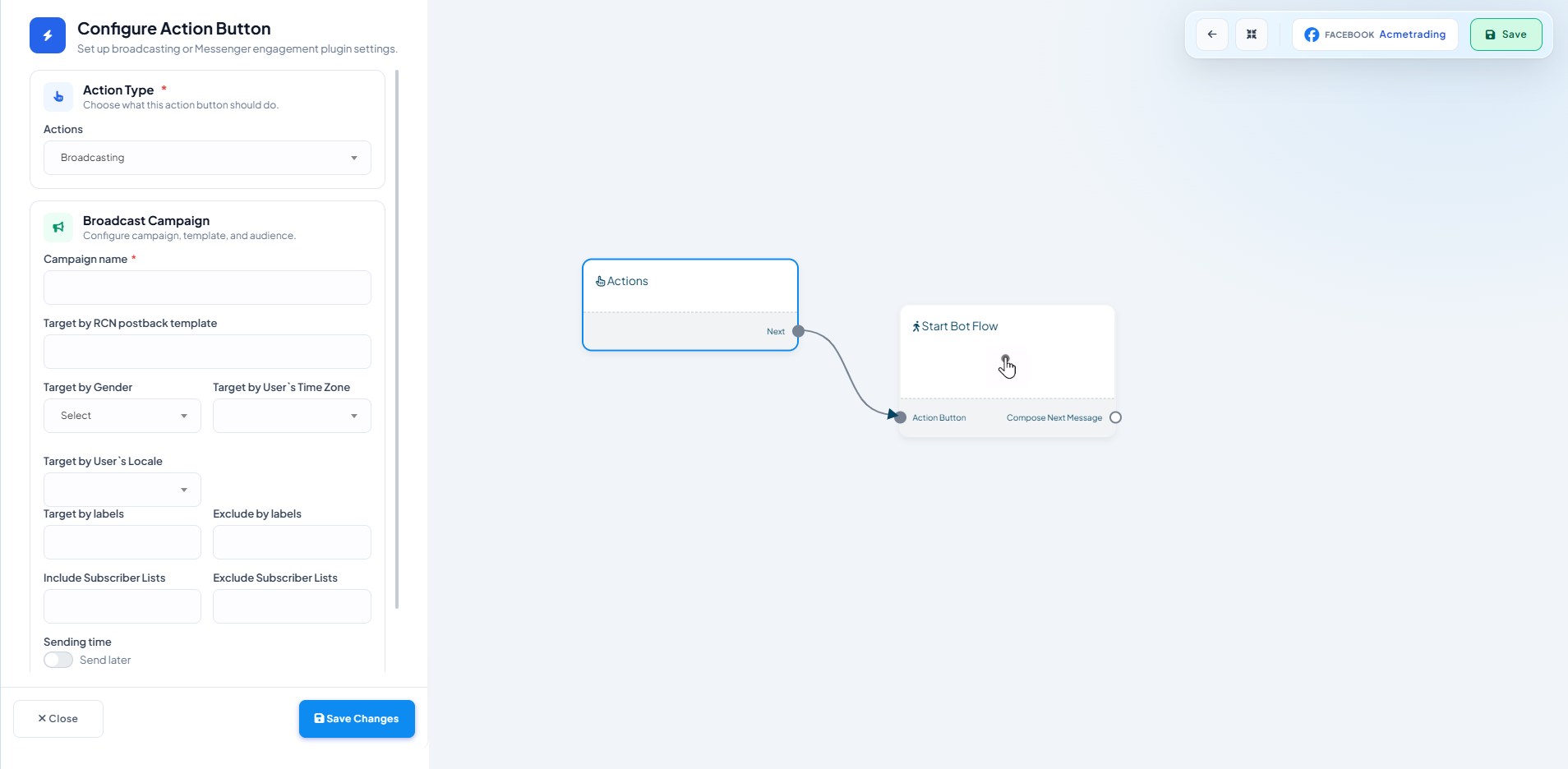
Click + Create Campaign. The Flow Builder opens in a new tab with a drawer already showing, headed Configure Action Button. The canvas behind it holds an Actions node connected to a Start Bot Flow node.
Leave Actions set to Broadcasting. Fill in:
Campaign name * — how the campaign appears in the Broadcast Center table afterwards. Name it for the topic and the date, not test 2.
Include label ids — put in the label you attached to opt-ins for this topic. Always include it, even when it currently matches your whole audience.
Exclude label ids — when a promotion runs across several days, exclude the label from the previous send so you do not message the same people again.
Sending time with a Send later toggle — off sends on save; on lets you pick a date and time.
Leaving both label fields blank targets everyone available, which is almost never what you want when different people opted in to different things. Someone who accepted a weekly-offers prompt agreed to weekly offers; a service announcement from the same audience is how permissions get withdrawn.
Click Save Changes to close the drawer.
Step 3: Build the message
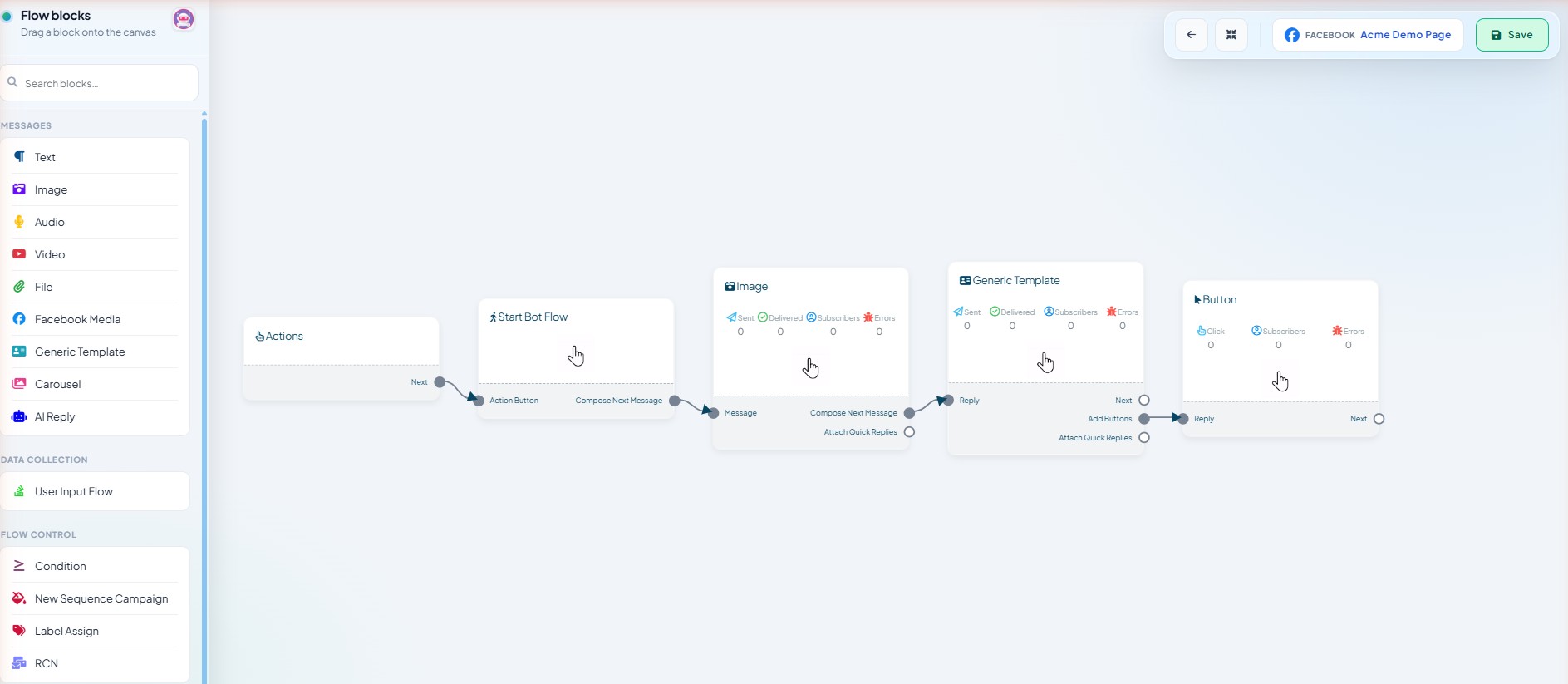
Double-click the Start Bot Flow node, give it a title, and save. Then use Compose Next Message and drag blocks from the palette.
A Facebook bot's palette differs from a WhatsApp bot's:
MESSAGES— Text, Image, Audio, Video, File, Facebook Media, Generic Template, Carousel, AI ReplyDATA COLLECTION— User Input FlowFLOW CONTROL— Condition, New Sequence Campaign, Label Assign, RCNINTEGRATIONS(for developers) — HTTP API, Google Sheet Data Fetch
Generic Template and Carousel are the two blocks WhatsApp does not have, and they are what most Messenger campaigns are built from — a card with an image, a short body and buttons reads far better in Messenger than a wall of text.
An image followed by a text block is the reliable minimum. Use the Delivery Options section on each block to set Typing on display and a short Delay in reply.
Adding a Label Assign block behind a button lets the campaign build the segment for the next one — everyone who tapped Tell me more is tagged and targetable.
Click Save at the top right of the canvas. Without a schedule, the campaign starts sending.
Step 4: Watch it run
Return to the Broadcast Center tab and refresh. Your campaign appears with a STATUS and counts under PROCESSED, DELIVERED, OPENED and UNREACHED. The Select Status dropdown and the Search & Enter... box narrow the list.
Fewer processed than labelled is normal: some permissions expired or were withdrawn. Facebook Broadcast Analytics & Reporting covers how to read it.
When it goes wrong
Zero recipients. Either the label is wrong or you have no live opt-ins. Check the label in Subscriber Manager first.
Far fewer than expected. Expired permissions. Add fresh opt-in opportunities to your flows.
Campaign stuck processing. Large audiences take time; a small one that is stuck is worth raising with support along with the campaign name.
Nothing at all on the Facebook tab. Confirm the Current bot: chip names a Facebook Page.
What to do next
Read Facebook Broadcast Analytics & Reporting to interpret what came back. If your audience is smaller than you would like, RCN Postback Manager: Collecting Opt-Ins covers adding more entry points to the opt-in flow.