
SMS Marketing: Setup and Tracking
Add an SMS gateway to Scope Wiser, make a bot text subscribers who share a phone number, send an SMS broadcast and read the delivery figures afterwards.
This guide helps you send text messages from Scope Wiser: an automatic text when a subscriber shares a phone number, and SMS broadcasts to a list.
Setting it up is a three-part job, and the parts live in three different places.
The three places SMS lives
Gateway credentials are account-wide. They sit in Control Panel → Settings & Integration → API Integration → SMS API. One set of credentials serves every bot in the account.
Automatic SMS from a bot is per bot. That is the SMS tab inside Bot Settings.
Broadcasting to a list is its own module. Broadcasting → Broadcast Center has an SMS channel tab.
Before you start: you need a gateway account
Scope Wiser does not sell SMS. It sends through a gateway account that you open and pay for yourself — Twilio, Vonage, Africa's Talking or any provider with an HTTP API. Sign up with one first, because the steps below ask for credentials only the provider can give you.
Check two things with your provider before you commit:
Which countries you are texting. Pricing varies by destination, and some countries require a registered sender ID before any message will deliver.
What your sender will look like. Some markets allow a name such as
ACME; others require a real number. Getting this wrong means messages vanish without an error.
Step 1: Create an SMS profile
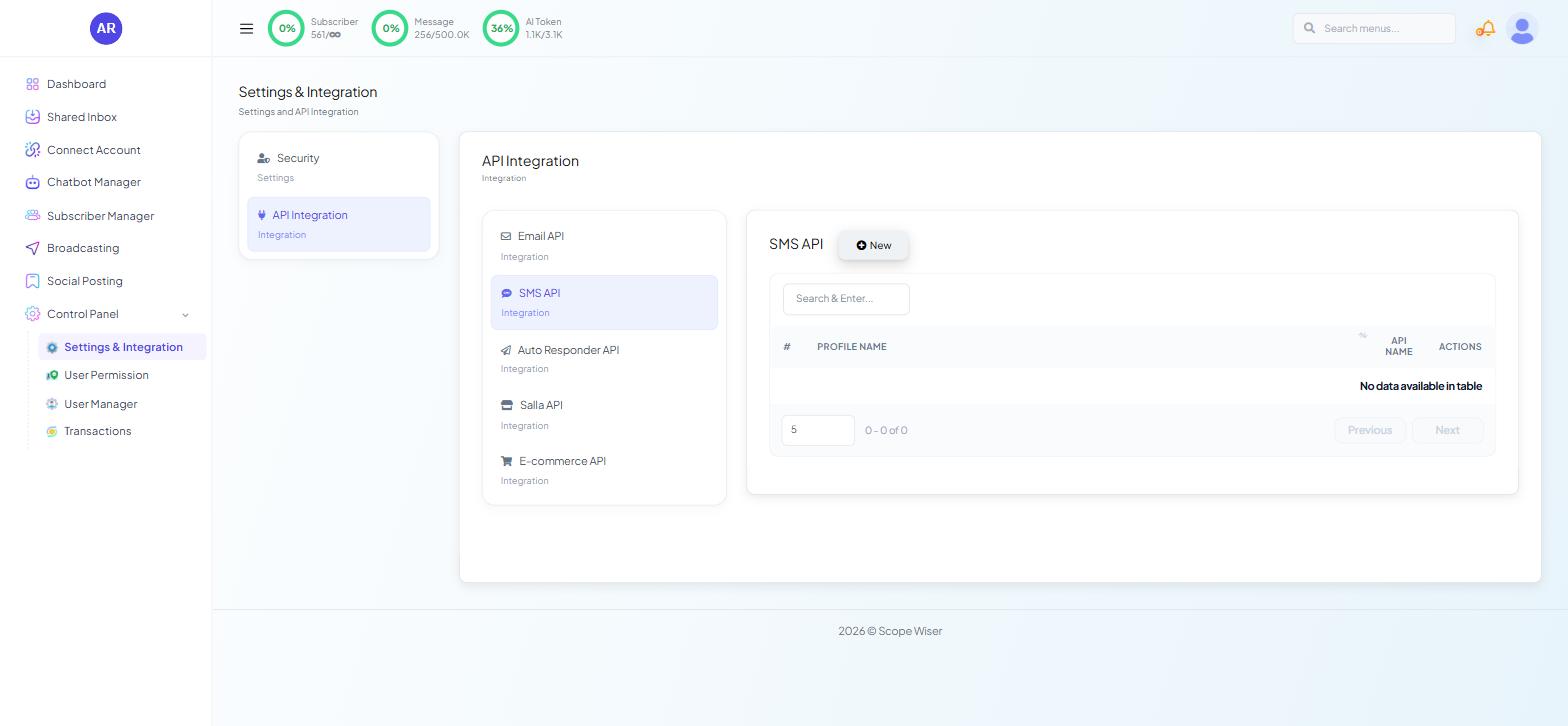
From the sidebar, open Control Panel → Settings & Integration.
Choose the API Integration card.
Select SMS API from the list. The panel on the right lists your profiles with the columns #, PROFILE NAME, API NAME and ACTIONS. On a new account it reads "No data available in table".
Click New. A drawer opens with a provider picker and the fields that provider needs. SMS Gateways: Twilio, Vonage and Africa's Talking lists what each provider asks for.
Give the profile a PROFILE NAME you will still recognise later, such as "Twilio — reminders". This name is how the profile appears everywhere else in the product.
Save the profile. It appears in the table.
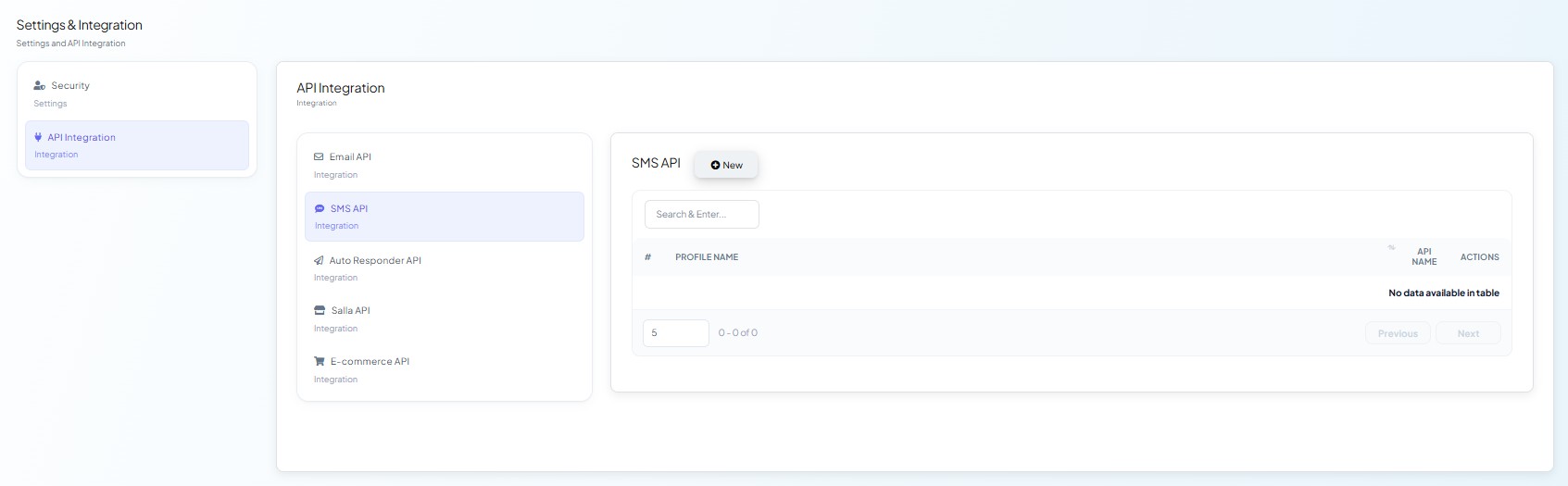
You can save more than one profile, e.g. one for reminders and one for offers.
Step 2: Make a bot send SMS automatically
A saved profile sends nothing by itself. A bot has to be told to use it.
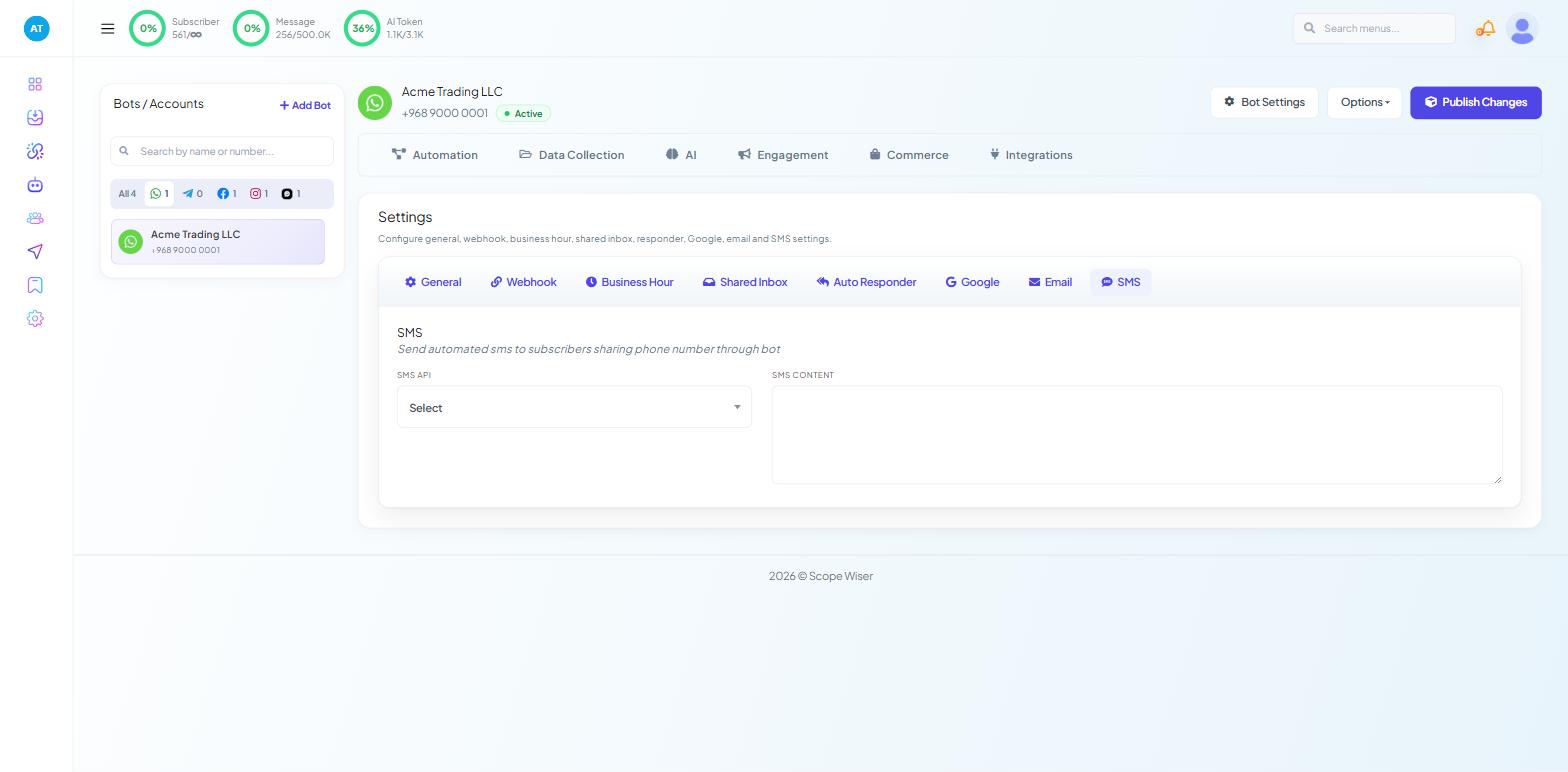
Open Chatbot Manager, select the bot and click Bot Settings.
Open the SMS tab.
In SMS API, choose your saved profile. It starts on Select.
In SMS CONTENT, type the message. Keep it short and put the useful thing first: "Your Acme Trading booking is confirmed for Tuesday 10am".
Click Publish Changes at the top of the panel. Nothing you change in Bot Settings takes effect until you publish.
Step 3: Broadcast to a list
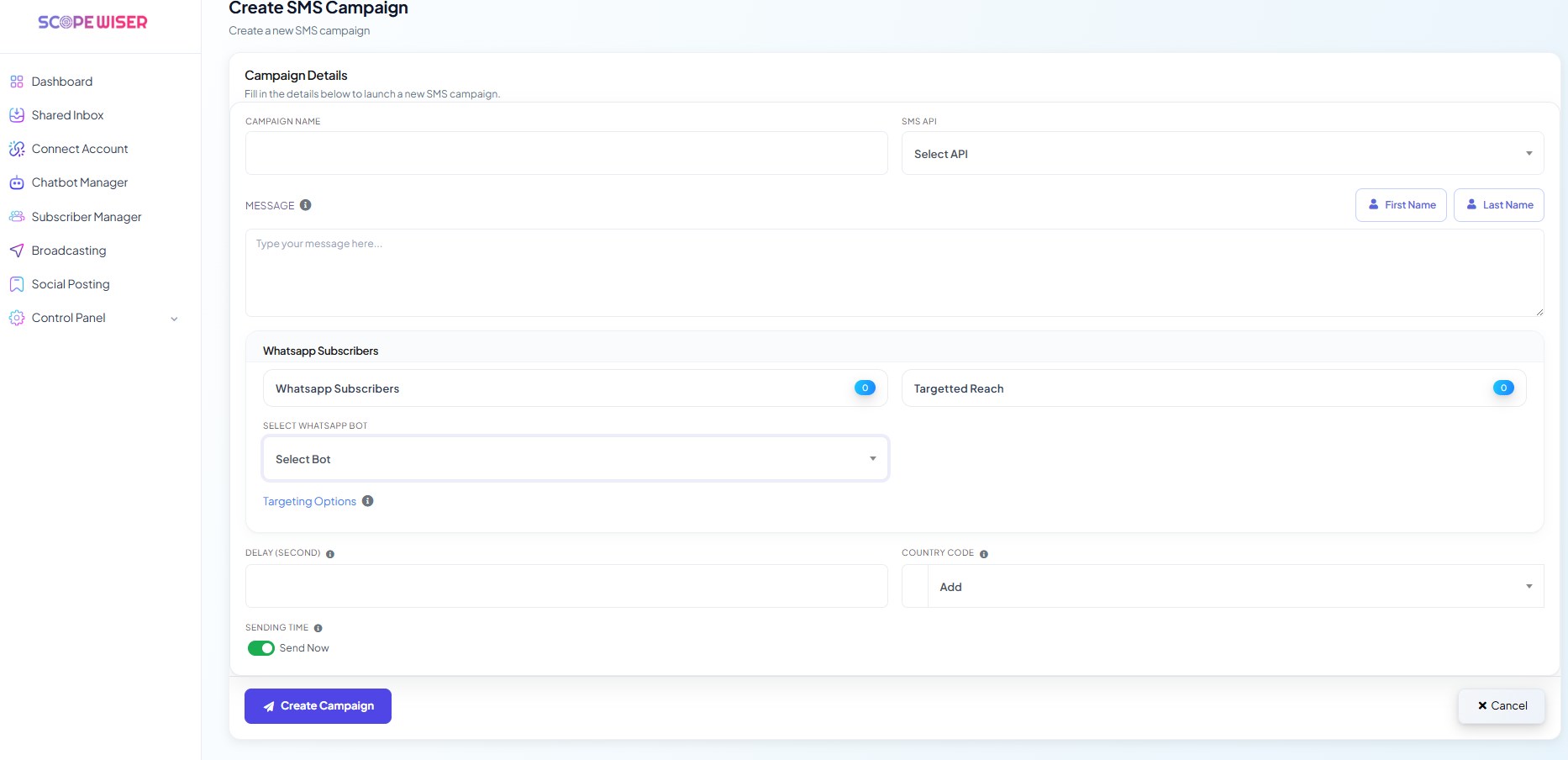
Go to Broadcasting → Broadcast Center.
Choose the SMS channel tab. The page has a + Create Campaign button, a bot selector, a Select Status filter and a search box.
Click + Create Campaign and fill in the campaign. Running a WhatsApp Broadcast Campaign walks through a campaign step by step.
Only text people who agreed to receive SMS, and send during business hours.
Reading the results
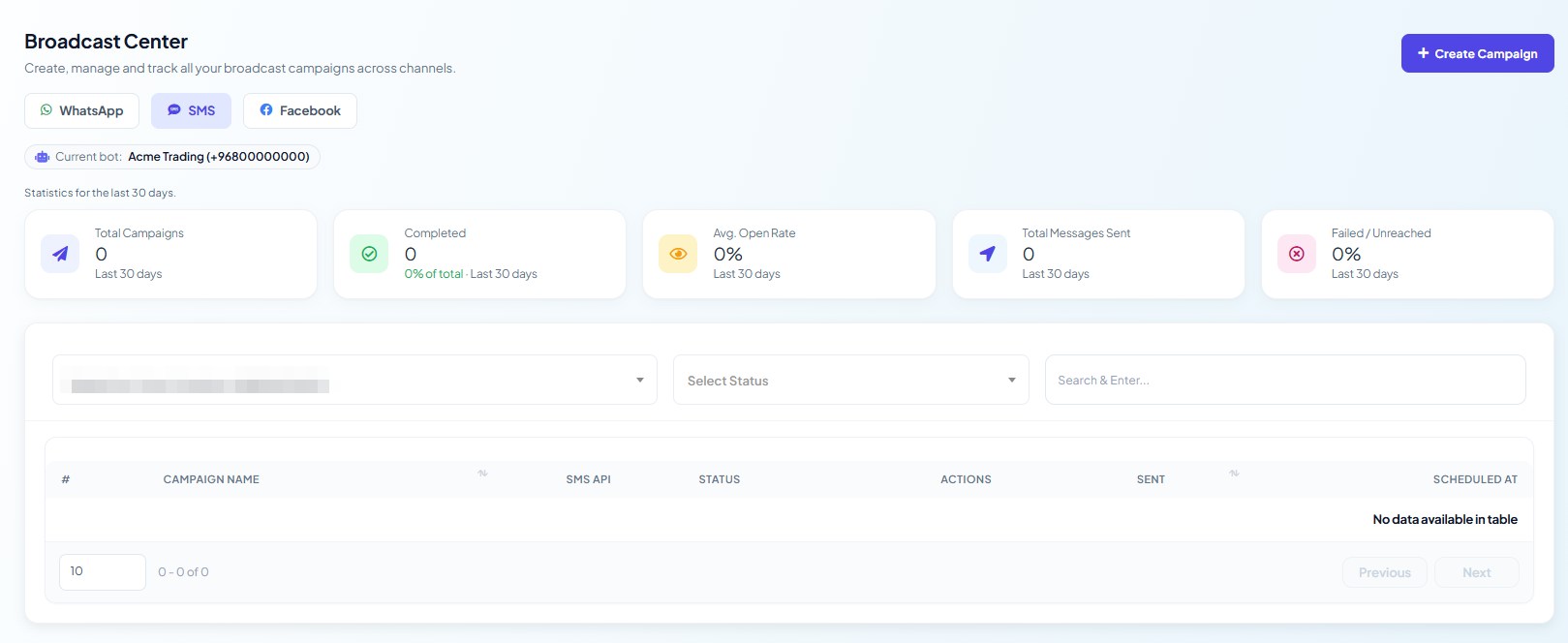
Back on the Broadcast Center, five stat cards summarise the last 30 days: Total Campaigns, Completed, Avg. Open Rate, Total Messages Sent and Failed / Unreached.
The campaign table below has the columns #, CAMPAIGN NAME, STATUS, ACTIONS, PROCESSED, DELIVERED, OPENED, UNREACHED and SCHEDULED AT.
PROCESSED means Scope Wiser handed the message to your gateway.
DELIVERED means the gateway confirmed it reached a handset. A wide gap between the two is a gateway or number-format problem, not a content problem.
UNREACHED counts numbers the send never got to: wrong format, missing country code, barred destination.
When messages do not arrive
Everything processes but nothing is delivered. Almost always the sender ID. Check whether your destination country requires registration, and read the gateway's own logs — they carry the carrier's rejection reason, which Scope Wiser cannot see.
Some numbers fail, most succeed. Number formatting. Every number needs its country code, and numbers that begin with a national trunk prefix such as
0will not route.A bot never texts anybody. Either SMS API is still on Select in Bot Settings, or the change was made and never published.
The gateway rejects your credentials. Regenerate them at the provider and update the profile under API Integration → SMS API.
What to do next
If you have not chosen a provider yet, read SMS Gateways: Twilio, Vonage and Africa's Talking. If your provider is not on the list, Connecting a Custom SMS Gateway (HTTP GET and POST) shows how a technical user can add it by URL.